Music classes for kids WordPress Theme


Permanent Page Content Across Three Related Regions
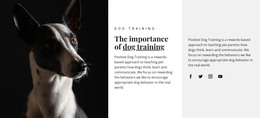
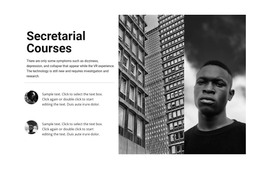
The heading and offering subtitle make the block suitable for stable page content rather than a time-sensitive post stream. The left column introduces the subject, the center column reinforces it with an adult-and-child portrait, and the right column gathers the supporting paragraph and contact-related text. Together, these regions present one coherent about message while preserving a clear visual separation between introduction, image, and information.
In a WordPress-managed page, the section can provide a reusable content area for an education offering while the wider project handles additional pages and publishing needs. The black right panel gives the contact-oriented material a concentrated reading surface, with white text and a yellow inline link providing contrast. The sample email, social references, and phone line show the intended type of supporting content; they can be replaced with accurate project details without changing the layout relationship.
The block is especially useful when a site needs an about section that feels more structured than a single text column. Its full-height portrait creates a visual bridge between the two text areas, while the bold uppercase heading and smaller letter-spaced subtitle establish hierarchy before the supporting copy begins. The WordPress context surrounds this section with broader page content, but the block itself remains one reusable theme-content region rather than a complete WordPress Theme.
Customize with Nicepage
Open this ready-made template in the WordPress Website Builder and customize it visually in the Nicepage editor. Replace demo content, edit page sections, and adapt the design to your project without rebuilding the template from scratch.
Edit Template Offline
2. Create a new page or select existing
3. Click Add new block, search for id 119479 and click enter
Edit Template Online
Create Awesome Websites


Free Nicepage Builder
Keywords
Manage and Edit This Theme in WordPress
Customize and Install the WordPress Theme
Start with this ready-made theme instead of building the WordPress design from scratch. Customize its layout, content, typography, images, sections, and other design elements visually in Nicepage editor, then export and install the WordPress Theme, Plugin, and Pages on your WordPress site. The Nicepage WordPress Plugin lets you continue working with the site after installation.
Edit the Theme Directly in WordPress
After installation, you can edit the WordPress Theme directly in WordPress with the Nicepage WordPress Plugin. Use Site Style to customize site Colors, Fonts, Header, Footer, Blog, and Post Page Templates while working within your WordPress website.
Edit WordPress Pages Visually
Use the Nicepage WordPress Plugin to edit page content directly from the WordPress admin area. Open a WordPress Page with Nicepage and visually change its text, images, sections, and other page elements while continuing to manage the Page through WordPress.
WordPress Content and Theme Integration
Use the customized theme with WordPress Pages, Posts, Blog and Post Templates, menus, widgets, and other CMS-managed content. Shared theme elements such as Colors, Fonts, Header, Footer, Blog, and Post Page Templates can be managed as part of the overall site design, while WordPress provides the CMS environment for managing site content.
This workflow combines a ready-made WordPress Theme with visual customization, direct theme editing in WordPress, and continued content management through the Nicepage WordPress Plugin.