About our photo studio WordPress Theme



A Focused Studio Introduction for WordPress Page Content
The single centered text region gives this block a straightforward role as publishable About content in a WordPress-managed page. The heading, “about studio.”, works as the fixed subject label, and the supporting paragraph beneath it supplies the explanatory layer. Keeping both elements on one central axis makes the content feel like one deliberate introduction instead of a set of independent entries that need separate navigation or filtering.
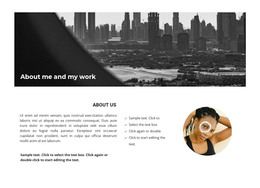
Behind the text, the full-width photographic image provides atmosphere and visual continuity across the section. Its warm, darkened treatment supports the light heading and paragraph by creating a strong contrast field, while the generous vertical spacing prevents the copy from feeling pressed against the image. Since the interaction is static, the block’s function stays centered on presenting context and helping readers understand the studio.
In a WordPress-oriented project, this section can remain part of permanent page content while the wider site manages other pages and regularly maintained areas around it. The block is particularly clear as a stable About region because its content model is compact and its image-text relationship is already resolved. It can therefore preserve a consistent visual introduction without being mistaken for the complete WordPress theme.
Customize with Nicepage
Open this ready-made template in the WordPress Website Builder and customize it visually in the Nicepage editor. Replace demo content, edit page sections, and adapt the design to your project without rebuilding the template from scratch.
Edit Template Offline
2. Create a new page or select existing
3. Click Add new block, search for id 118163 and click enter
Edit Template Online
Create Awesome Websites


Free Nicepage Builder
Keywords
Manage and Edit This Theme in WordPress
Customize and Install the WordPress Theme
Start with this ready-made theme instead of building the WordPress design from scratch. Customize its layout, content, typography, images, sections, and other design elements visually in Nicepage editor, then export and install the WordPress Theme, Plugin, and Pages on your WordPress site. The Nicepage WordPress Plugin lets you continue working with the site after installation.
Edit the Theme Directly in WordPress
After installation, you can edit the WordPress Theme directly in WordPress with the Nicepage WordPress Plugin. Use Site Style to customize site Colors, Fonts, Header, Footer, Blog, and Post Page Templates while working within your WordPress website.
Edit WordPress Pages Visually
Use the Nicepage WordPress Plugin to edit page content directly from the WordPress admin area. Open a WordPress Page with Nicepage and visually change its text, images, sections, and other page elements while continuing to manage the Page through WordPress.
WordPress Content and Theme Integration
Use the customized theme with WordPress Pages, Posts, Blog and Post Templates, menus, widgets, and other CMS-managed content. Shared theme elements such as Colors, Fonts, Header, Footer, Blog, and Post Page Templates can be managed as part of the overall site design, while WordPress provides the CMS environment for managing site content.
This workflow combines a ready-made WordPress Theme with visual customization, direct theme editing in WordPress, and continued content management through the Nicepage WordPress Plugin.