Providing leading solutions WordPress Theme


Service Categories Organized as Stable Page Content
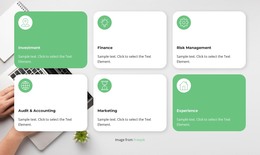
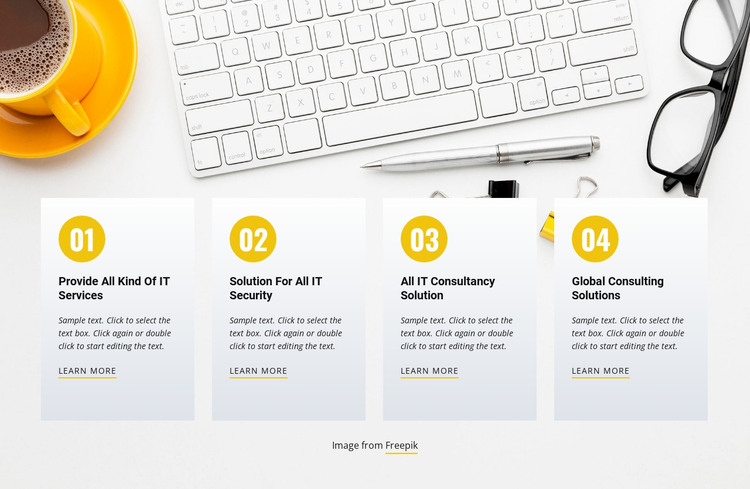
The four cards read as stable services content that can occupy a dedicated section on a WordPress-managed page. Their labels separate IT services, IT security, IT consultancy, and consulting solutions into recognizable information units rather than combining every offering in one paragraph. The 01–04 badges create a visual sequence, and the matching learn-more links give each category the same opportunity to lead toward expanded information elsewhere in the surrounding project. The repeated card model is therefore useful for permanent page content that needs a clear, scannable structure.
A workspace photograph runs behind the row, showing a keyboard, coffee cup, pen, and glasses. Pale rectangular panels keep the service titles and compact italic descriptions legible against that detailed image, while yellow circular badges and underlined accents add a recurring visual marker. In a WordPress-oriented site, the section can remain a designed content region on a services or consulting page while the wider project manages other pages and publishing needs around it. The cards do not need to carry the entire site’s information architecture: neighboring content can supply introductions, evidence, team details, or contact options. Keeping the image attribution line beneath the row preserves the relationship between the visual backdrop and the four service items.
Customize with Nicepage
Open this ready-made template in the WordPress Website Builder and customize it visually in the Nicepage editor. Replace demo content, edit page sections, and adapt the design to your project without rebuilding the template from scratch.
Edit Template Offline
2. Create a new page or select existing
3. Click Add new block, search for id 105595 and click enter
Edit Template Online
Create Awesome Websites


Free Nicepage Builder
Keywords
Manage and Edit This Theme in WordPress
Customize and Install the WordPress Theme
Start with this ready-made theme instead of building the WordPress design from scratch. Customize its layout, content, typography, images, sections, and other design elements visually in Nicepage editor, then export and install the WordPress Theme, Plugin, and Pages on your WordPress site. The Nicepage WordPress Plugin lets you continue working with the site after installation.
Edit the Theme Directly in WordPress
After installation, you can edit the WordPress Theme directly in WordPress with the Nicepage WordPress Plugin. Use Site Style to customize site Colors, Fonts, Header, Footer, Blog, and Post Page Templates while working within your WordPress website.
Edit WordPress Pages Visually
Use the Nicepage WordPress Plugin to edit page content directly from the WordPress admin area. Open a WordPress Page with Nicepage and visually change its text, images, sections, and other page elements while continuing to manage the Page through WordPress.
WordPress Content and Theme Integration
Use the customized theme with WordPress Pages, Posts, Blog and Post Templates, menus, widgets, and other CMS-managed content. Shared theme elements such as Colors, Fonts, Header, Footer, Blog, and Post Page Templates can be managed as part of the overall site design, while WordPress provides the CMS environment for managing site content.
This workflow combines a ready-made WordPress Theme with visual customization, direct theme editing in WordPress, and continued content management through the Nicepage WordPress Plugin.