Top technologies WordPress Theme


Topic cards turn technology information into stable page content
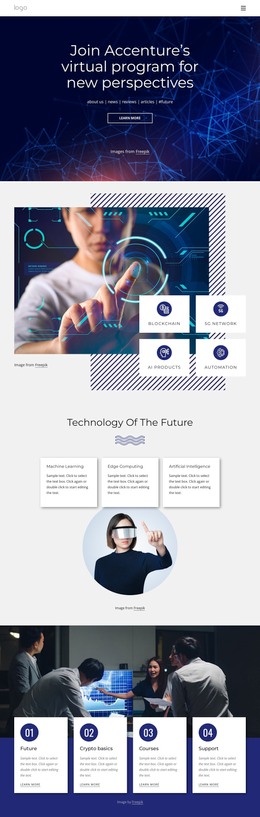
The section’s three named topics—Machine Learning, Edge Computing, and Artificial Intelligence—work as stable informational units rather than as a single general technology statement. Each one is contained in a white card with a title and paragraph, allowing the content to be read and maintained as separate areas of a WordPress-managed page. The horizontal desktop row reinforces their relationship: visitors can compare the three subjects at a glance while moving through one compact features section.
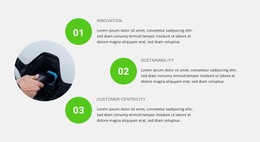
The heading “Top Technologies” and the thin wave-like divider provide a distinct introduction above the cards. Below them, the circular visor image overlaps the lower card area, adding a human-centered visual cue to an otherwise text-led arrangement. The light gray section background frames the composition, while dark left-aligned text and soft card shadows preserve contrast and separation.
For a WordPress-oriented project, this block can function as permanent technology page content that remains visually consistent while the wider site develops around it. It may support an overview or services-related page section, with neighboring content providing deeper explanations or other site functions. The block’s specific contribution is the organized presentation of three technology areas and the visual relationship between the card row and circular image, not a complete theme or standalone site.
Customize with Nicepage
Open this ready-made template in the WordPress Website Builder and customize it visually in the Nicepage editor. Replace demo content, edit page sections, and adapt the design to your project without rebuilding the template from scratch.
Edit Template Offline
2. Create a new page or select existing
3. Click Add new block, search for id 1027228 and click enter
Edit Template Online
Create Awesome Websites


Free Nicepage Builder
Keywords
Manage and Edit This Theme in WordPress
Customize and Install the WordPress Theme
Start with this ready-made theme instead of building the WordPress design from scratch. Customize its layout, content, typography, images, sections, and other design elements visually in Nicepage editor, then export and install the WordPress Theme, Plugin, and Pages on your WordPress site. The Nicepage WordPress Plugin lets you continue working with the site after installation.
Edit the Theme Directly in WordPress
After installation, you can edit the WordPress Theme directly in WordPress with the Nicepage WordPress Plugin. Use Site Style to customize site Colors, Fonts, Header, Footer, Blog, and Post Page Templates while working within your WordPress website.
Edit WordPress Pages Visually
Use the Nicepage WordPress Plugin to edit page content directly from the WordPress admin area. Open a WordPress Page with Nicepage and visually change its text, images, sections, and other page elements while continuing to manage the Page through WordPress.
WordPress Content and Theme Integration
Use the customized theme with WordPress Pages, Posts, Blog and Post Templates, menus, widgets, and other CMS-managed content. Shared theme elements such as Colors, Fonts, Header, Footer, Blog, and Post Page Templates can be managed as part of the overall site design, while WordPress provides the CMS environment for managing site content.
This workflow combines a ready-made WordPress Theme with visual customization, direct theme editing in WordPress, and continued content management through the Nicepage WordPress Plugin.