Modern Poetry Author Template


Edit Template Offline
2. Create new page and search for id 6660403
Edit Template Online
Create Awesome Websites


Free Nicepage Builder
Keywords
A poetry showcase where imagery and literary context carry the story
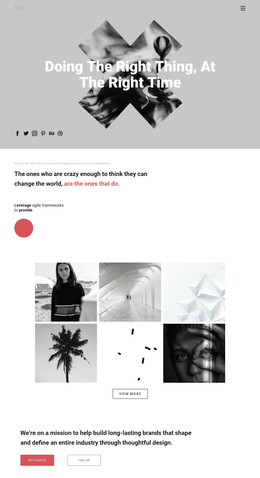
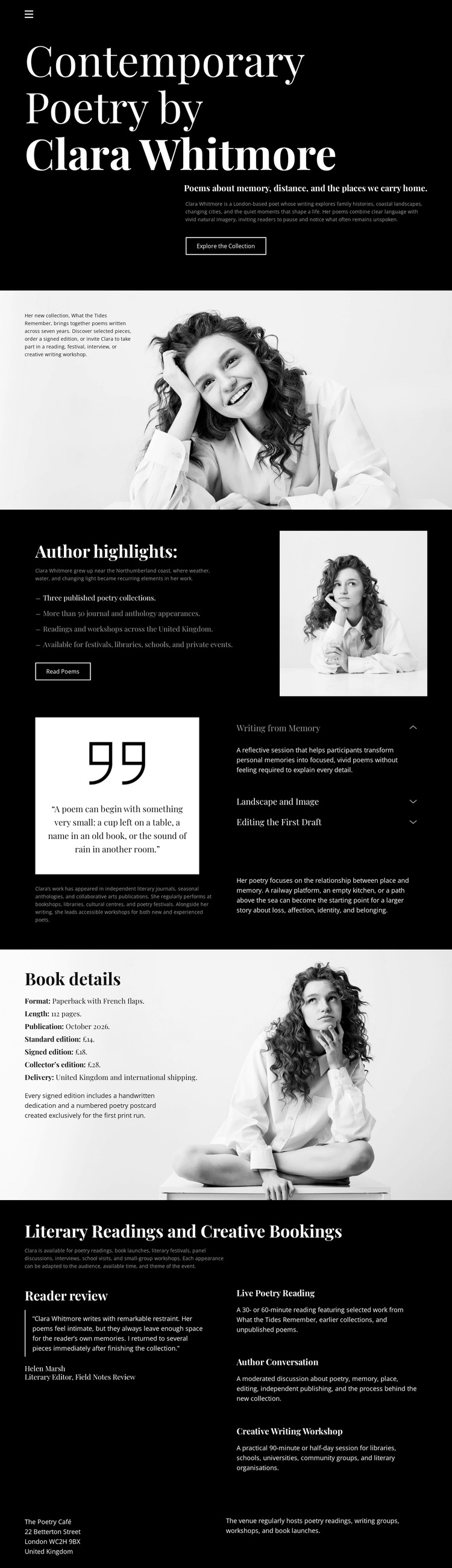
Large editorial type, monochrome portraits, and a dark opening hero immediately establish a design choice centered on literary identity rather than dense corporate presentation. The page names Clara Whitmore and contemporary poetry at the start, then uses the Explore the Collection action to make discovery part of the opening experience. This gives the design a clear subject before the visitor reaches the more detailed sections.
The strongest distinction is the way personal portraiture and collection information share the page without becoming interchangeable. The author introduction and Author highlights provide biographical and collection context, while Book details gives the publication its own dedicated section. Between them, Working from Memory adds a quotation and thematic labels that suggest a creative process. The sequence therefore supports projects that need to present not only a book, but also the author’s perspective and presence.
The closing Literary Readings and Creative Bookings grid broadens the use case beyond a conventional author profile. Its four offerings include poetry readings, author conversations, and creative writing workshops, so organizations or book communities can understand the available engagement formats. The restrained buttons and compact contact footer keep the interaction understated and editorial. This template is worth choosing when visual storytelling, literary atmosphere, collection information, and booking opportunities should coexist in one carefully paced presentation rather than being treated as unrelated promotional sections.
Customize with Nicepage
Open this ready-made template in the Template Builder and customize it visually in the Nicepage editor. Replace demo content, edit page sections, and adapt the design to your project without rebuilding the template from scratch.
Start With a Ready-Made Template
Choose a Design for a New Page
Use a ready-made template as a starting point instead of creating every page from a blank canvas. When adding a new page in Nicepage, browse available designs, compare different layouts, and choose an option that already fits the general purpose and visual direction of your project.
Browse Different Page Designs
Explore Page Designs using search, thematic categories, Design Sets, and full-page previews. The collection includes layouts for different subjects and page purposes, making it easier to compare alternatives before selecting a design to customize.
Customize the Selected Template
After choosing a design, create the page and continue editing it visually in Nicepage. Replace the demo content, adjust images, typography, colors, sections, and other elements, and adapt the ready-made layout to your own content instead of rebuilding the design from the beginning.
Explore More Design Directions
If the first option does not match your project closely enough, return to the design collection and compare other templates before committing to a layout. This makes the template library useful not only for faster page creation, but also for exploring different visual approaches and finding a suitable starting point for a new project.
This workflow gives you access to a broad collection of ready-made designs that can be selected, compared, and customized according to the needs of each new page or project.