Modern Football Team Template


Edit Template Offline
2. Create new page and search for id 6627711
Edit Template Online
Create Awesome Websites


Free Nicepage Builder
Keywords
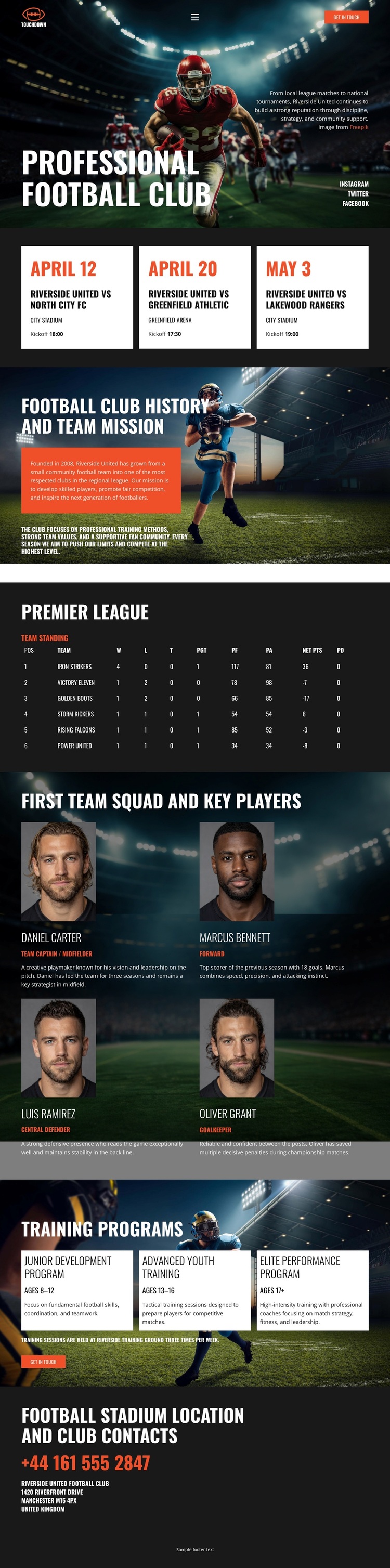
A Stadium-Led Choice With Match, Squad, and Development Coverage
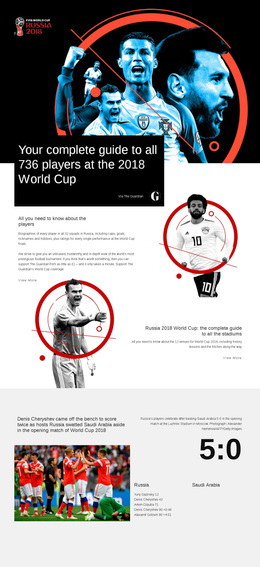
Large stadium imagery gives the design an immediate football identity, while the opening crest, player image, and ticket action establish a clear reason for visitors to continue. The three fixture cards make the layout more specific than a generic sports homepage by giving upcoming matches their own compact presentation. This is useful for a club project that needs to place current match interest near the top without allowing fixtures to overwhelm the rest of the organization’s story.
The design also covers several layers of club information. History and mission content provides context, the Premier League standings table adds a performance view, and four first-team player cards create a human focus through roles and biographies. The three training program cards broaden the audience beyond supporters by presenting junior development, advanced youth training, and elite performance as visible content categories. That combination makes the template suitable for a football organization that needs to communicate identity, competition, squad information, and player development together.
The dark stadium imagery, condensed white type, red accents, and compact cards give the option a strong editorial sports direction rather than a neutral corporate appearance. The closing stadium contact area adds a practical endpoint after the visual and informational storytelling. For projects seeking a ready-made football club profile with both supporter-facing and prospective-player content, this design offers unusually broad coverage within a single coherent page.
Customize with Nicepage
Open this ready-made template in the Template Builder and customize it visually in the Nicepage editor. Replace demo content, edit page sections, and adapt the design to your project without rebuilding the template from scratch.
Start With a Ready-Made Template
Choose a Design for a New Page
Use a ready-made template as a starting point instead of creating every page from a blank canvas. When adding a new page in Nicepage, browse available designs, compare different layouts, and choose an option that already fits the general purpose and visual direction of your project.
Browse Different Page Designs
Explore Page Designs using search, thematic categories, Design Sets, and full-page previews. The collection includes layouts for different subjects and page purposes, making it easier to compare alternatives before selecting a design to customize.
Customize the Selected Template
After choosing a design, create the page and continue editing it visually in Nicepage. Replace the demo content, adjust images, typography, colors, sections, and other elements, and adapt the ready-made layout to your own content instead of rebuilding the design from the beginning.
Explore More Design Directions
If the first option does not match your project closely enough, return to the design collection and compare other templates before committing to a layout. This makes the template library useful not only for faster page creation, but also for exploring different visual approaches and finding a suitable starting point for a new project.
This workflow gives you access to a broad collection of ready-made designs that can be selected, compared, and customized according to the needs of each new page or project.