Sale block with dark background Template


Split sale copy and red tags create a distinctive section option
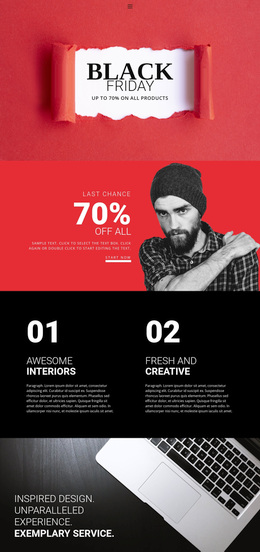
The “Black FRiday” heading is divided into two visible parts, giving the promotion more typographic character than a single-line sale label. Beneath it, the statement “Up to 70% on all Products” supplies the concrete offer message. Two separate sale-tag graphics occupy the right side, balancing the large text area and adding recognizable campaign signals without turning the section into a dense product grid.
That combination makes this block a useful design option when a page needs a compact promotional statement with stronger visual presence than a plain text banner. The full-width background image, with pale hair against a dark background, provides an image-led setting for the message, while the left-right split keeps the reading path straightforward. White type remains prominent over the dark field, and the red accents create a focused contrast rather than several competing color groups.
The design is especially suited to a campaign section that must announce a sale before visitors move to other content. It offers both message coverage and visual emphasis in one bounded arrangement, while leaving surrounding sections to handle product information, campaign details, or the eventual response action. The result is a specific alternative for projects seeking a dramatic sale composition without relying on a large collection of repeated cards.
Customize with Nicepage
Open this ready-made template in the Template Builder and customize it visually in the Nicepage editor. Replace demo content, edit page sections, and adapt the design to your project without rebuilding the template from scratch.
Edit Template Offline
2. Create a new page or select existing
3. Click Add new block, search for id 52861 and click enter
Edit Template Online
Create Awesome Websites


Free Nicepage Builder
Keywords
Start With a Ready-Made Block Design
Choose a Section Instead of Building From Scratch
Use a ready-made block as a starting point when a page needs a particular content function or visual arrangement. Nicepage Block Designs provide section-level options for introductions, services, galleries, testimonials, contact forms, pricing, text layouts, and other common page needs.
Compare Different Layout Directions
Blocks with the same function can still differ in image emphasis, number of items, column structure, typography, spacing, card treatment, interaction, and overall visual weight. Compare those concrete characteristics before choosing the section that best matches the surrounding page.
Customize the Selected Block
After adding a block, replace demo content, adjust images and text, refine colors and typography, and adapt individual elements while preserving the section's useful structure. If another design fits the content better, return to the Block Designs collection and compare alternatives rather than forcing one section to solve a different function.
This workflow makes a Block ID a ready-made section choice: one reusable design option that can be selected and customized as part of a larger page.