Creative Bookstore Template


Edit Template Offline
2. Create new page and search for id 6666298
Edit Template Online
Create Awesome Websites


Free Nicepage Builder
Keywords
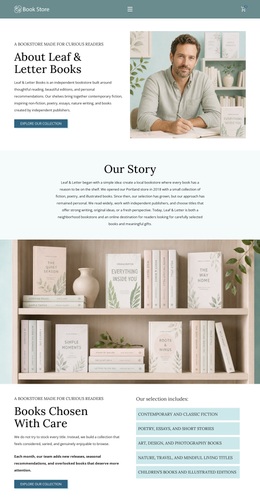
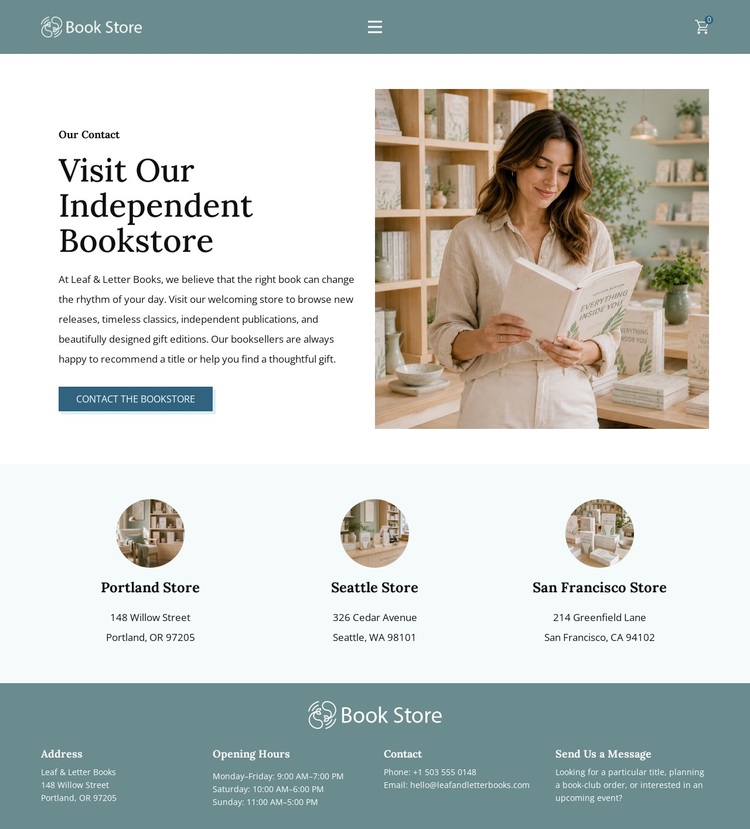
Bookstore Imagery Meets Multi-Location Contact Content
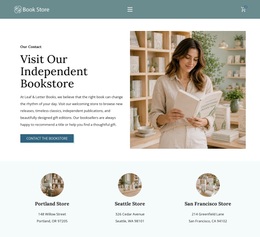
The strongest reason to choose this design is the way it combines visual bookstore atmosphere with practical information. The split introduction uses a large reading image beside the invitation to visit, allowing imagery to establish the subject before the page moves into operational details. That image-led opening is supported by restrained teal tones, pale blue-green surfaces, and serif typography, creating an editorial direction rather than a densely promotional retail layout.
The design also covers more than a single contact prompt. Three repeated location cards give equal visibility to Portland, Seattle, and San Francisco, so the template suits a bookstore concept that needs to present a broader store presence. The dark footer then gathers address, opening hours, phone, email, and message guidance, making the page useful for visitors who need to plan a visit or begin a conversation. References to books, independent publications, and gift editions further distinguish the content direction from a generic business contact page. Portland’s displayed schedule provides a concrete example of the store information carried by the layout, while the other location cards preserve the multi-store choice. Among ready-made designs, this option is most appropriate when quiet editorial presentation, location coverage, and direct bookstore contact need to coexist without overwhelming the visitor with dense text or complex retail catalog content.
Customize with Nicepage
Open this ready-made template in the Template Builder and customize it visually in the Nicepage editor. Replace demo content, edit page sections, and adapt the design to your project without rebuilding the template from scratch.
Start With a Ready-Made Template
Choose a Design for a New Page
Use a ready-made template as a starting point instead of creating every page from a blank canvas. When adding a new page in Nicepage, browse available designs, compare different layouts, and choose an option that already fits the general purpose and visual direction of your project.
Browse Different Page Designs
Explore Page Designs using search, thematic categories, Design Sets, and full-page previews. The collection includes layouts for different subjects and page purposes, making it easier to compare alternatives before selecting a design to customize.
Customize the Selected Template
After choosing a design, create the page and continue editing it visually in Nicepage. Replace the demo content, adjust images, typography, colors, sections, and other elements, and adapt the ready-made layout to your own content instead of rebuilding the design from the beginning.
Explore More Design Directions
If the first option does not match your project closely enough, return to the design collection and compare other templates before committing to a layout. This makes the template library useful not only for faster page creation, but also for exploring different visual approaches and finding a suitable starting point for a new project.
This workflow gives you access to a broad collection of ready-made designs that can be selected, compared, and customized according to the needs of each new page or project.