The Best Steakhouse Template



Edit Template Offline
2. Create new page and search for id 3814299
Edit Template Online
Create Awesome Websites


Free Nicepage Builder
Keywords
Six Dining Categories Give the Restaurant Design a Strong Selection Angle
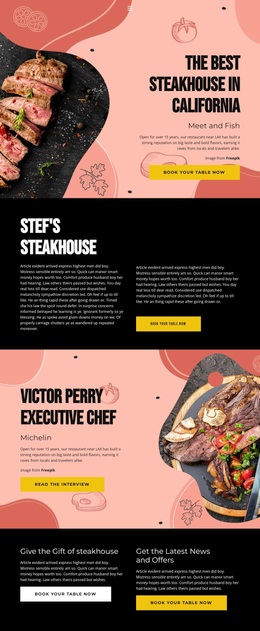
Six white dining cards immediately distinguish this design from a restaurant layout built around only one offer. Lunch, Dinner, Brunch, Barbook, Cocktails, and Desserts create a visible map of the dining experience, while the coral background and repeated card treatment keep the categories together as one memorable selection block. The design can therefore suit a project that needs the range of a restaurant offering to be understood quickly.
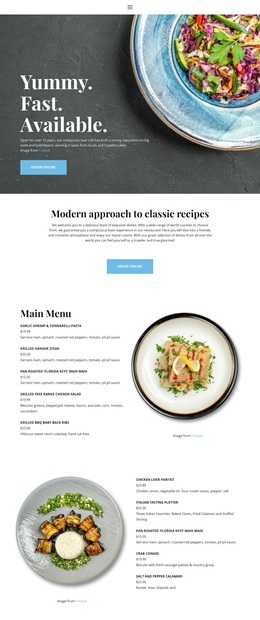
The menu coverage continues below that visual overview. A two-column dinner section separates starters, seafood towers, salads, Wagyu, entrees, and accessories, giving the page enough detail to support the broader category promise. Large food photography appears in the hero, chef feature, and meat-preparation section, so imagery carries much of the appetite and atmosphere while the menu provides concrete information.
The page also covers practical and promotional needs without losing its central restaurant direction. The gift panel and latest-news-and-offers panel create secondary reasons to engage, while repeated booking actions keep the design connected to reservations. At the bottom, the listed 660 S. Hope Street address, weekly opening hours, and reservation form complete the content picture. As a ready-made choice, this template is especially suitable for restaurant projects that want editorial storytelling, broad dining categories, detailed menu content, and a visible booking path in the same design.
Customize with Nicepage
Open this ready-made template in the Template Builder and customize it visually in the Nicepage editor. Replace demo content, edit page sections, and adapt the design to your project without rebuilding the template from scratch.
Start With a Ready-Made Template
Choose a Design for a New Page
Use a ready-made template as a starting point instead of creating every page from a blank canvas. When adding a new page in Nicepage, browse available designs, compare different layouts, and choose an option that already fits the general purpose and visual direction of your project.
Browse Different Page Designs
Explore Page Designs using search, thematic categories, Design Sets, and full-page previews. The collection includes layouts for different subjects and page purposes, making it easier to compare alternatives before selecting a design to customize.
Customize the Selected Template
After choosing a design, create the page and continue editing it visually in Nicepage. Replace the demo content, adjust images, typography, colors, sections, and other elements, and adapt the ready-made layout to your own content instead of rebuilding the design from the beginning.
Explore More Design Directions
If the first option does not match your project closely enough, return to the design collection and compare other templates before committing to a layout. This makes the template library useful not only for faster page creation, but also for exploring different visual approaches and finding a suitable starting point for a new project.
This workflow gives you access to a broad collection of ready-made designs that can be selected, compared, and customized according to the needs of each new page or project.