Design Agency Template


Edit Template Offline
2. Create new page and search for id 24096
Edit Template Online
Create Awesome Websites


Free Nicepage Builder
Keywords
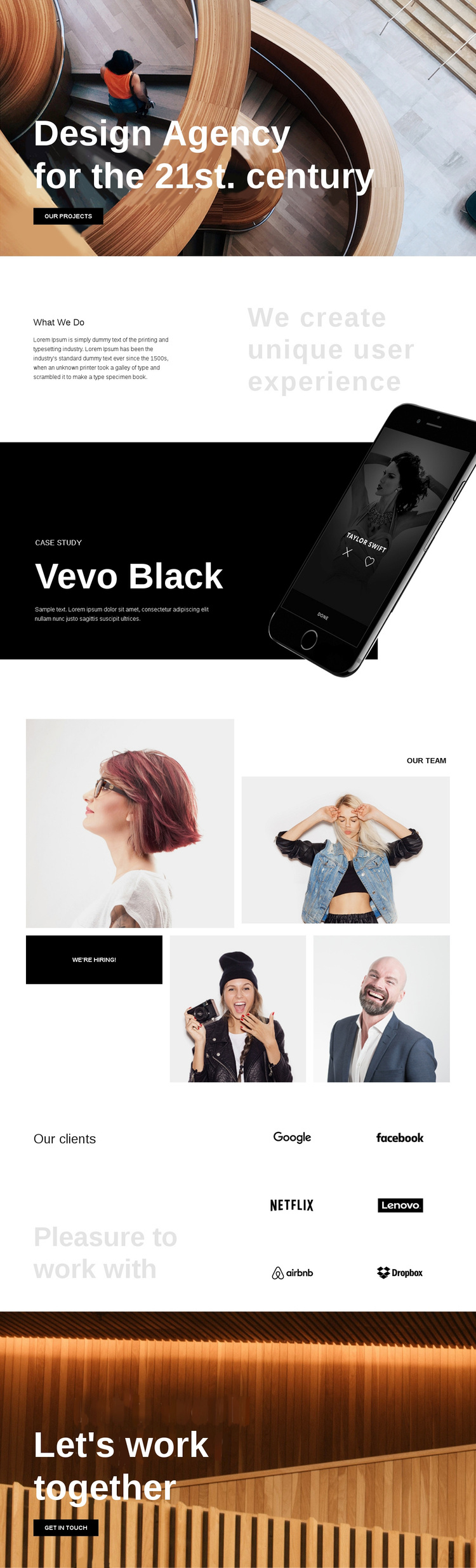
Vevo Black, Team Photography, and Six Client Marks Define the Choice
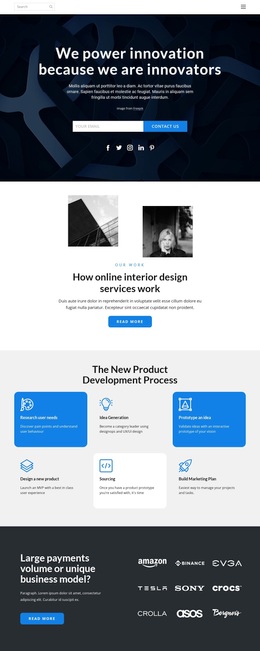
Large architectural imagery, bold white type, and asymmetric compositions make this design a clear option for an agency that wants its visual presentation to carry as much meaning as its explanatory copy. The opening statement establishes a confident creative direction, while “What We Do” introduces the specific idea of creating unique user experiences. That pairing gives the page both a recognizable point of view and a concise description of the work.
The Vevo Black case study strengthens the choice by giving the layout a featured project rather than leaving the portfolio claim abstract. A device image beside the case-study text creates a focused example that can be replaced with verified project material later. The four team photographs add a more personal layer, and the “we’re hiring!” action shows that the design can acknowledge recruitment without turning the page into a separate careers layout.
The six client logos provide another distinctive content pattern. They occupy a repeated two-column area that contrasts with the looser team collage and helps the page communicate relationships visually. Finally, “Let’s work together” and “get in touch” give the design a natural project-facing close. These combined facts make it worth choosing when a creative-services page needs portfolio evidence, human context, client recognition, and a direct invitation in one art-directed presentation.
Customize with Nicepage
Open this ready-made template in the Template Builder and customize it visually in the Nicepage editor. Replace demo content, edit page sections, and adapt the design to your project without rebuilding the template from scratch.
Start With a Ready-Made Template
Choose a Design for a New Page
Use a ready-made template as a starting point instead of creating every page from a blank canvas. When adding a new page in Nicepage, browse available designs, compare different layouts, and choose an option that already fits the general purpose and visual direction of your project.
Browse Different Page Designs
Explore Page Designs using search, thematic categories, Design Sets, and full-page previews. The collection includes layouts for different subjects and page purposes, making it easier to compare alternatives before selecting a design to customize.
Customize the Selected Template
After choosing a design, create the page and continue editing it visually in Nicepage. Replace the demo content, adjust images, typography, colors, sections, and other elements, and adapt the ready-made layout to your own content instead of rebuilding the design from the beginning.
Explore More Design Directions
If the first option does not match your project closely enough, return to the design collection and compare other templates before committing to a layout. This makes the template library useful not only for faster page creation, but also for exploring different visual approaches and finding a suitable starting point for a new project.
This workflow gives you access to a broad collection of ready-made designs that can be selected, compared, and customized according to the needs of each new page or project.