Home repair contact form Template


An Overlapping Contact Layout With a Practical Visual Cue
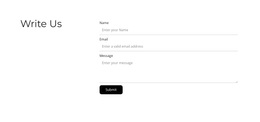
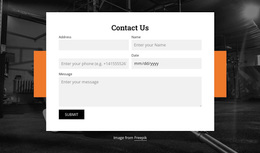
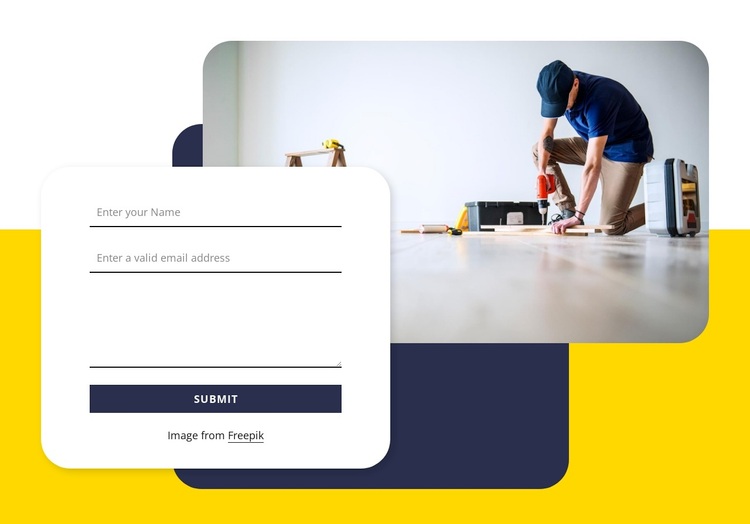
The section pairs a direct contact task with a composition that is easy to distinguish from a standard form row. Name, email, and message entry areas are gathered into a large white rounded card, and the Submit action remains part of that same response surface. Above it, a rounded image of indoor repair work extends into the upper-right area, giving the block a contextual visual cue while preserving the form as the functional center.
The yellow background and dark navy and white geometric shapes make the overlap part of the design rather than an incidental placement. They create a compact visual system around the card and image, while the repeated rounded corners soften the transition between the two layers. This combination is useful when comparing ready-made section alternatives: the block covers a familiar contact purpose but presents it through image depth, strong color contrast, and a clearly bounded form.
The design is particularly suited to a page that needs one prominent inquiry area with practical imagery nearby. The surrounding project can determine what content leads into the section and what follows it, while this block retains its own name, email, message, and Submit structure. Its distinguishing reason for selection is therefore the relationship between response content and layered visual framing, not a claim to provide a complete page.
Customize with Nicepage
Open this ready-made template in the Template Builder and customize it visually in the Nicepage editor. Replace demo content, edit page sections, and adapt the design to your project without rebuilding the template from scratch.
Edit Template Offline
2. Create a new page or select existing
3. Click Add new block, search for id 2111813 and click enter
Edit Template Online
Create Awesome Websites


Free Nicepage Builder
Keywords
Start With a Ready-Made Template
Choose a Design for a New Page
Use a ready-made template as a starting point instead of creating every page from a blank canvas. When adding a new page in Nicepage, browse available designs, compare different layouts, and choose an option that already fits the general purpose and visual direction of your project.
Browse Different Page Designs
Explore Page Designs using search, thematic categories, Design Sets, and full-page previews. The collection includes layouts for different subjects and page purposes, making it easier to compare alternatives before selecting a design to customize.
Customize the Selected Template
After choosing a design, create the page and continue editing it visually in Nicepage. Replace the demo content, adjust images, typography, colors, sections, and other elements, and adapt the ready-made layout to your own content instead of rebuilding the design from the beginning.
Explore More Design Directions
If the first option does not match your project closely enough, return to the design collection and compare other templates before committing to a layout. This makes the template library useful not only for faster page creation, but also for exploring different visual approaches and finding a suitable starting point for a new project.
This workflow gives you access to a broad collection of ready-made designs that can be selected, compared, and customized according to the needs of each new page or project.