Data Center security solutions Template


Edit Template Offline
2. Create new page and search for id 313607
Edit Template Online
Create Awesome Websites


Free Nicepage Builder
Keywords
Three Service Categories Anchor a Distinctive Cloud Infrastructure Option
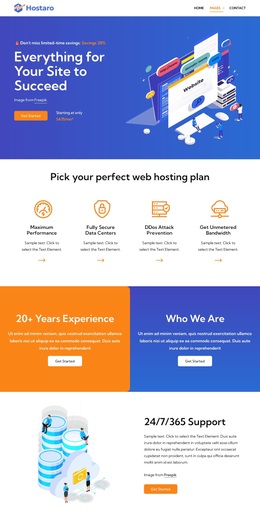
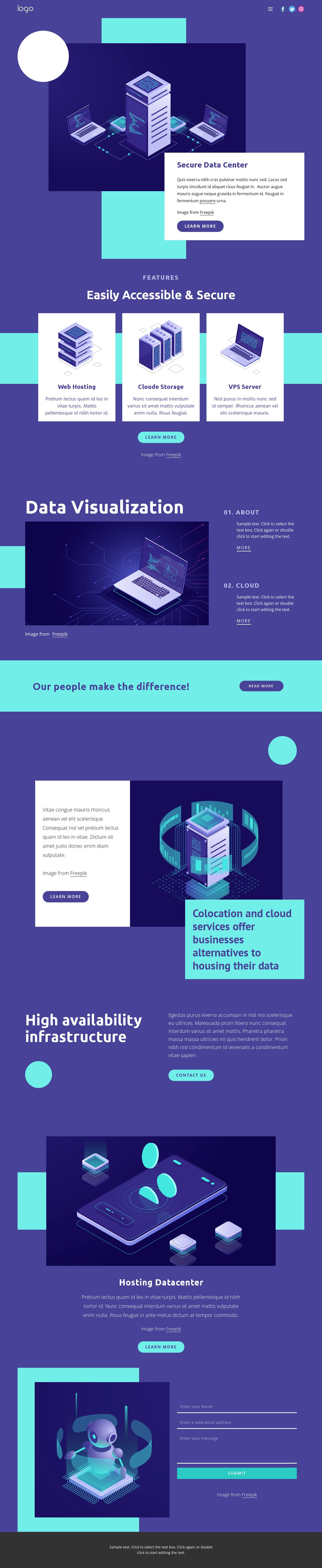
Web Hosting, Cloud Storage, and VPS Server give this design a clear selection advantage for projects that need to explain several infrastructure offerings without beginning with a dense technical catalogue. The three illustrated cards create a compact comparison point, while the Secure Data Center introduction establishes the broader subject through a server image, white content card, and learn-more action. Together, these elements make the page immediately understandable as a cloud and hosting services presentation.
The design also covers more than a single service claim. A Data Visualization section introduces a separate technical perspective through a large illustration and the numbered topics 01. About and 02. Cloud. The colocation and cloud services section adds an alternative infrastructure message, and the High availability infrastructure block gives the page a capability-focused emphasis. These sections create useful content coverage for businesses that need to describe both service categories and the infrastructure context behind them.
Visually, deep indigo and turquoise areas contrast with white cards and high-contrast accents, while bold sans-serif headings and technology-themed illustrations keep the subject consistent. The people-focused strip adds a brief human transition before the page returns to infrastructure. A final contact form makes the design suitable for projects that want informative service presentation to lead toward inquiries. Its value lies in the combination of coverage, technical imagery, structured cards, and a defined response area.
Customize with Nicepage
Open this ready-made template in the Template Builder and customize it visually in the Nicepage editor. Replace demo content, edit page sections, and adapt the design to your project without rebuilding the template from scratch.
Start With a Ready-Made Template
Choose a Design for a New Page
Use a ready-made template as a starting point instead of creating every page from a blank canvas. When adding a new page in Nicepage, browse available designs, compare different layouts, and choose an option that already fits the general purpose and visual direction of your project.
Browse Different Page Designs
Explore Page Designs using search, thematic categories, Design Sets, and full-page previews. The collection includes layouts for different subjects and page purposes, making it easier to compare alternatives before selecting a design to customize.
Customize the Selected Template
After choosing a design, create the page and continue editing it visually in Nicepage. Replace the demo content, adjust images, typography, colors, sections, and other elements, and adapt the ready-made layout to your own content instead of rebuilding the design from the beginning.
Explore More Design Directions
If the first option does not match your project closely enough, return to the design collection and compare other templates before committing to a layout. This makes the template library useful not only for faster page creation, but also for exploring different visual approaches and finding a suitable starting point for a new project.
This workflow gives you access to a broad collection of ready-made designs that can be selected, compared, and customized according to the needs of each new page or project.