Adventure travel and nature tours Template


Layered Nature Images Give This Travel Section a Distinctive Direction
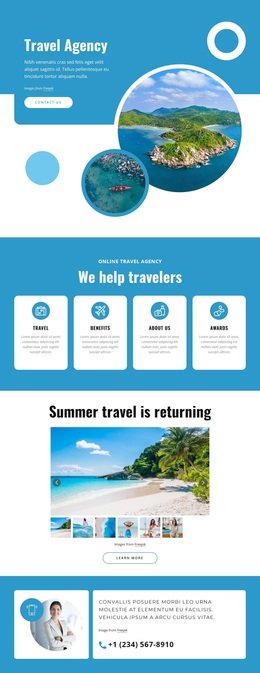
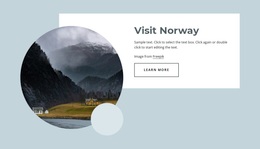
The block stands out through the way its content is combined rather than through a large number of components. A large circular mountain image establishes the primary visual anchor, while a smaller circular forest image overlaps it to create a second layer of nature imagery. Beside them, the rounded light card gathers the “Travel with us” heading, supporting copy, image attribution, and read more action into one compact message area. Coral rings extend the same circular idea across the muted teal background.
That combination makes this design worth considering when a page needs a travel introduction with more visual depth than a straightforward text-and-image row. The card keeps the message focused, while the overlapping images give the section a strong sense of movement and place without relying on confirmed animation. The read more button supplies a modest continuation point, so the block can introduce a theme before more detailed travel content appears elsewhere. Its value as a ready-made choice lies in the balance between a compact explanatory panel and layered photographic emphasis, not in claiming that the section replaces a complete travel page or tour system.
Customize with Nicepage
Open this ready-made template in the Template Builder and customize it visually in the Nicepage editor. Replace demo content, edit page sections, and adapt the design to your project without rebuilding the template from scratch.
Edit Template Offline
2. Create a new page or select existing
3. Click Add new block, search for id 1468019 and click enter
Edit Template Online
Create Awesome Websites


Free Nicepage Builder
Keywords
Start With a Ready-Made Block Design
Choose a Section Instead of Building From Scratch
Use a ready-made block as a starting point when a page needs a particular content function or visual arrangement. Nicepage Block Designs provide section-level options for introductions, services, galleries, testimonials, contact forms, pricing, text layouts, and other common page needs.
Compare Different Layout Directions
Blocks with the same function can still differ in image emphasis, number of items, column structure, typography, spacing, card treatment, interaction, and overall visual weight. Compare those concrete characteristics before choosing the section that best matches the surrounding page.
Customize the Selected Block
After adding a block, replace demo content, adjust images and text, refine colors and typography, and adapt individual elements while preserving the section's useful structure. If another design fits the content better, return to the Block Designs collection and compare alternatives rather than forcing one section to solve a different function.
This workflow makes a Block ID a ready-made section choice: one reusable design option that can be selected and customized as part of a larger page.