Video Technology Template


Edit Template Offline
2. Create new page and search for id 12863
Edit Template Online
Create Awesome Websites


Free Nicepage Builder
Keywords
Three Creative Work Categories Give This Design a Distinct Focus
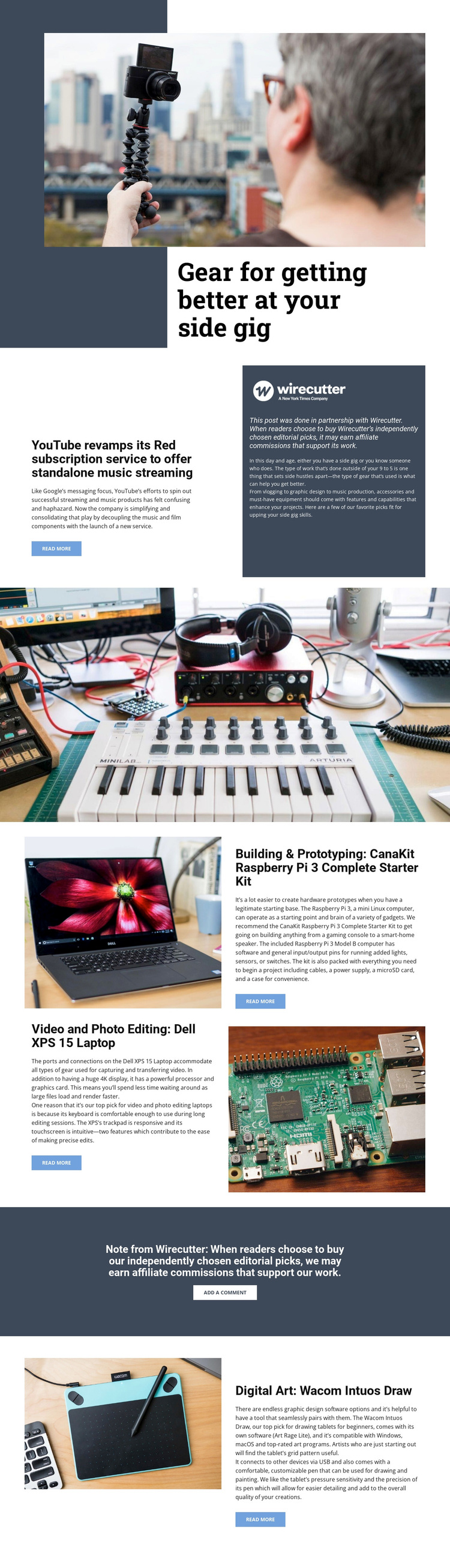
The page is worth considering because it connects several types of creative work within one editorial direction instead of presenting a generic technology catalogue. The opening “Gear for getting better at your side gig” headline establishes an audience of independent makers and creators, while the large lifestyle image gives that subject a human context. The YouTube Red article then broadens the page into a publication-style guide rather than a simple product list.
Its strongest distinguishing feature is the combination of three recommendation categories. Video and photo editing is represented by the Dell XPS 15 Laptop; building and prototyping by the CanaKit Raspberry Pi 3 Complete Starter Kit; and digital art by the Wacom Intuos Draw. This coverage makes the design suitable for projects that need to compare tools across different creative practices while keeping each recommendation tied to a clear use case.
The Wirecutter disclosure and add-a-comment action add a recognizable editorial relationship to the product content. Alternating photography and text panels, generous spacing, and dark rectangular fields reinforce that magazine-like direction. Compared with a layout centered only on services, pricing, or a conventional product catalogue, this option is specifically shaped around independent-project guidance, product discovery, and transparent affiliate context.
Customize with Nicepage
Open this ready-made template in the Template Builder and customize it visually in the Nicepage editor. Replace demo content, edit page sections, and adapt the design to your project without rebuilding the template from scratch.
Start With a Ready-Made Template
Choose a Design for a New Page
Use a ready-made template as a starting point instead of creating every page from a blank canvas. When adding a new page in Nicepage, browse available designs, compare different layouts, and choose an option that already fits the general purpose and visual direction of your project.
Browse Different Page Designs
Explore Page Designs using search, thematic categories, Design Sets, and full-page previews. The collection includes layouts for different subjects and page purposes, making it easier to compare alternatives before selecting a design to customize.
Customize the Selected Template
After choosing a design, create the page and continue editing it visually in Nicepage. Replace the demo content, adjust images, typography, colors, sections, and other elements, and adapt the ready-made layout to your own content instead of rebuilding the design from the beginning.
Explore More Design Directions
If the first option does not match your project closely enough, return to the design collection and compare other templates before committing to a layout. This makes the template library useful not only for faster page creation, but also for exploring different visual approaches and finding a suitable starting point for a new project.
This workflow gives you access to a broad collection of ready-made designs that can be selected, compared, and customized according to the needs of each new page or project.