Morning boost poll Website Template


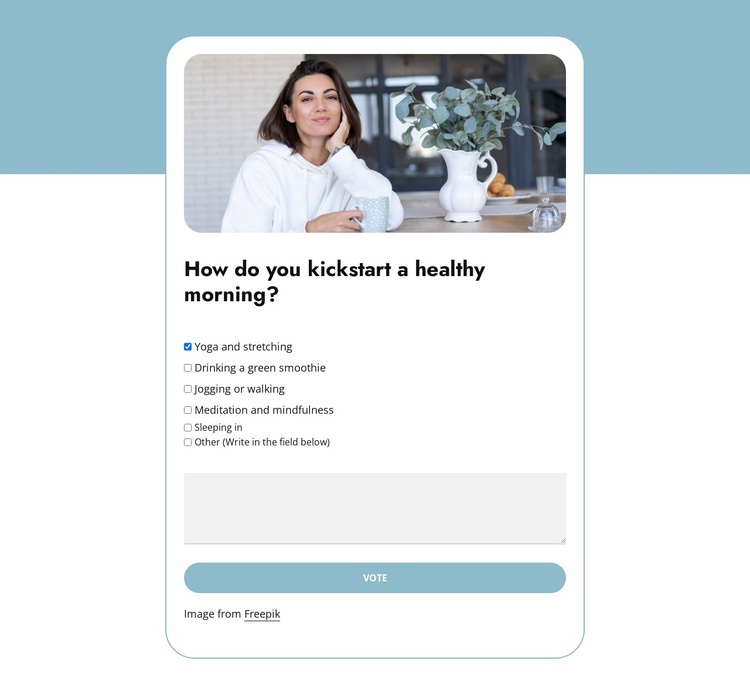
Six response choices turn a wellness question into a reusable site section
The six checkbox options make this block a self-contained response area for a broader website project. The heading, “How do you kickstart a healthy morning?”, establishes one clear topic, while choices such as yoga and stretching, drinking a green smoothie, jogging or walking, meditation and mindfulness, and sleeping in let visitors respond through a structured poll rather than an open-ended form alone. The free-text area then provides a place for a more personal answer, extending the interaction without changing the section’s focused purpose.
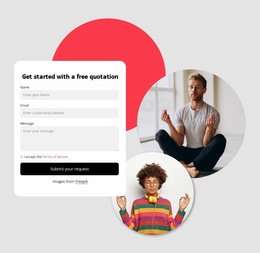
A centered white card keeps the question, stacked controls, and Vote button in one readable visual unit. The rounded lifestyle image above the poll introduces the subject before visitors reach the response controls, while the soft blue background accent separates the section from neighboring content. Rounded fields, a thin muted border, and the full-width blue action create a consistent visual path from introduction to submission.
Within a broader Website Template project, this block can serve as an interactive wellness or educational content area alongside other sections that provide context, results, articles, or follow-up information. Its multi-step form structure also leaves room to request name and email details after the initial response, making the section reusable when a project needs both a poll interaction and optional respondent information without presenting the block as an entire website.
Customize with Nicepage
Open this ready-made template in the Website Template Builder and customize it visually in the Nicepage editor. Replace demo content, edit page sections, and adapt the design to your project without rebuilding the template from scratch.
Edit Template Offline
2. Create a new page or select existing
3. Click Add new block, search for id 6536391 and click enter
Edit Template Online
Create Awesome Websites


Free Nicepage Builder
Keywords
Build a Complete Website From This Template
Customize the Website Visually
Use this ready-made website template as a starting point for your project and adapt its pages visually in Nicepage. Change content, images, typography, navigation, sections, and other design elements while keeping the website together as a single editable project.
Manage Website Pages in One Project
Use the Pages panel to open, add, duplicate, and manage the pages of your website. Work on individual pages while keeping navigation and the overall site structure accessible from the same project, making it easier to develop a complete website instead of managing separate page files.
Expand the Website With Matching Designs
When you need additional pages or sections, use Page Design Sets to find Page and Block Designs created in the same visual style. Design Sets group matching designs together, making it easier to expand the website with new content while maintaining a consistent look across its pages and sections.
Organize Larger Multi-Page Websites
As the website grows, use Page Folders to organize related pages and keep larger multi-page projects easier to navigate in the editor. This is especially useful for websites with separate service pages, company information, contacts, landing pages, and other content areas.
This workflow makes the template a practical foundation for building and expanding a complete website while managing its pages, content, and visual design within one Nicepage project.