Private elementary education Website Template


Edit Template Offline
2. Create new page and search for id 16882
Edit Template Online
Create Awesome Websites


Free Nicepage Builder
Keywords
Registration and support content establish a foundation for wider site growth
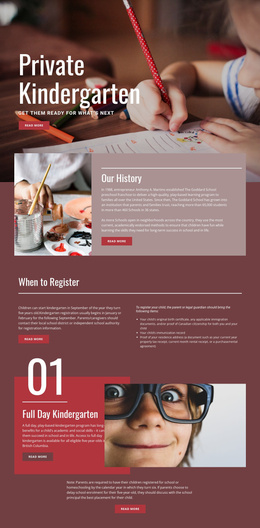
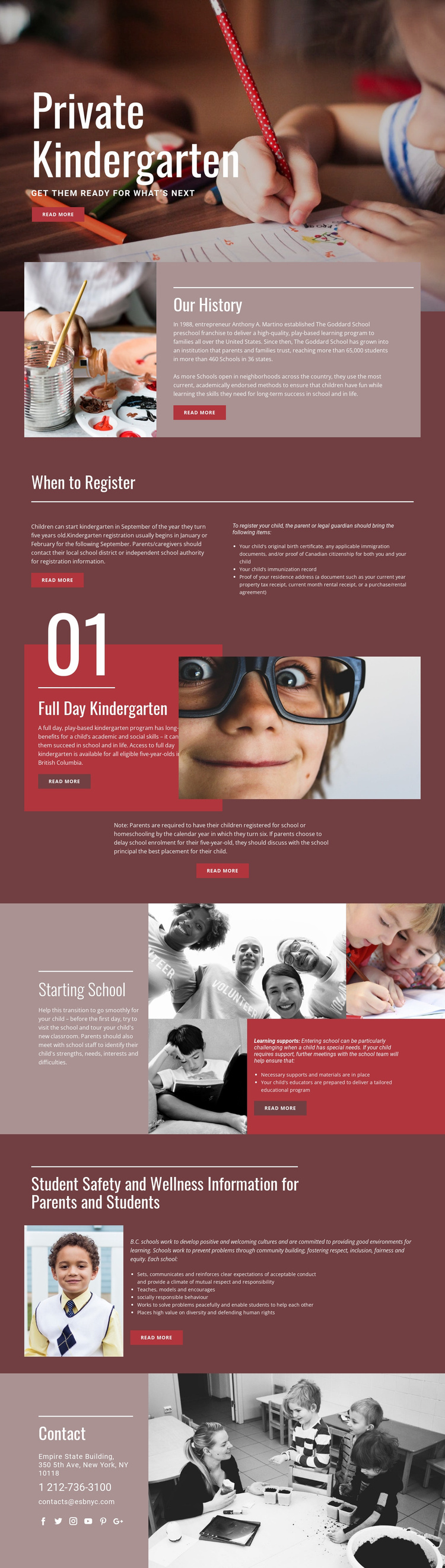
The design already identifies several major content categories that a broader kindergarten website could develop. The opening Private Kindergarten area establishes the main subject and visual direction. Our History can provide the basis for a dedicated background page, while When to Register separates timing guidance from a three-item list of required documents. These are different information needs, even though they currently share one page.
Full Day Kindergarten creates a program-focused content area with an eligibility reference to British Columbia, an explanatory passage, a child photograph, and an enrollment note. Starting School adds another possible expansion path around transition planning, learning supports, necessary materials, and a tailored educational program. Student Safety and Wellness introduces a further category covering positive school culture, socially responsible behaviour, inclusion, and community guidance. Together, these subjects give a wider project an initial information architecture rather than only a decorative homepage.
The closing Contact section supplies shared site content through address, phone, email, and social links, while the repeated burgundy, rose, cream, and red treatment can connect additional pages visually. The analysis does not verify existing extra pages, so this template should be understood as a foundation that can support expansion, not as a confirmed multi-page website set. Its value lies in the clear relationship between the subjects already present and the related content areas a growing kindergarten project may need.
Customize with Nicepage
Open this ready-made template in the Website Template Builder and customize it visually in the Nicepage editor. Replace demo content, edit page sections, and adapt the design to your project without rebuilding the template from scratch.
Build a Complete Website From This Template
Customize the Website Visually
Use this ready-made website template as a starting point for your project and adapt its pages visually in Nicepage. Change content, images, typography, navigation, sections, and other design elements while keeping the website together as a single editable project.
Manage Website Pages in One Project
Use the Pages panel to open, add, duplicate, and manage the pages of your website. Work on individual pages while keeping navigation and the overall site structure accessible from the same project, making it easier to develop a complete website instead of managing separate page files.
Expand the Website With Matching Designs
When you need additional pages or sections, use Page Design Sets to find Page and Block Designs created in the same visual style. Design Sets group matching designs together, making it easier to expand the website with new content while maintaining a consistent look across its pages and sections.
Organize Larger Multi-Page Websites
As the website grows, use Page Folders to organize related pages and keep larger multi-page projects easier to navigate in the editor. This is especially useful for websites with separate service pages, company information, contacts, landing pages, and other content areas.
This workflow makes the template a practical foundation for building and expanding a complete website while managing its pages, content, and visual design within one Nicepage project.