Surf Lessons Website Template


Edit Template Offline
2. Create new page and search for id 24338
Edit Template Online
Create Awesome Websites


Free Nicepage Builder
Keywords
Lessons, Equipment, and Camps Form a Clear Site Foundation
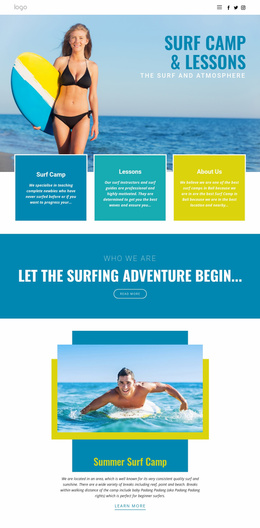
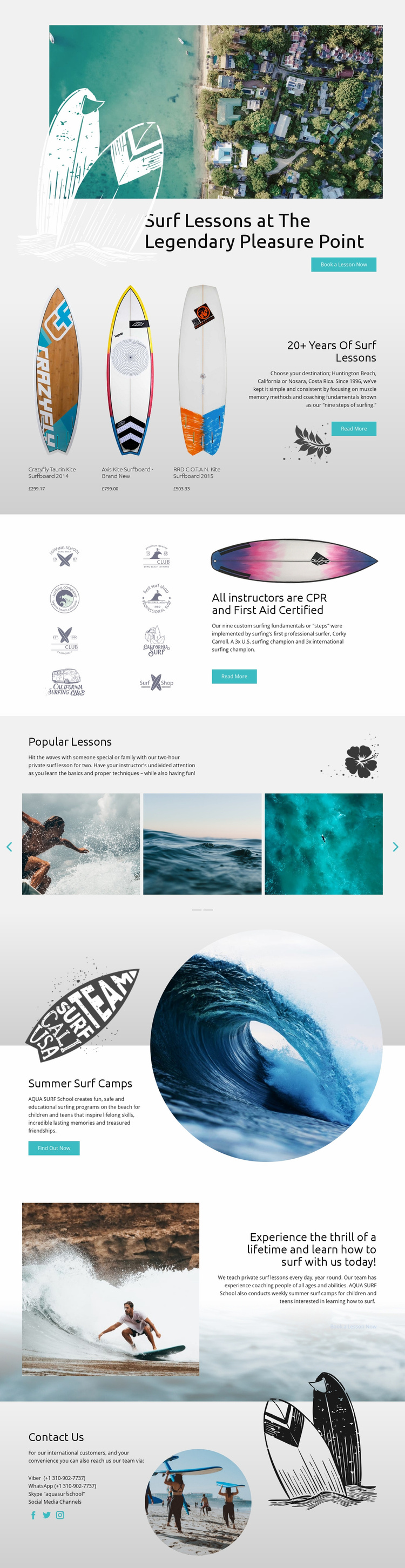
The hero establishes the central subject with surf lessons at Pleasure Point and a direct booking action, giving a broader website project a clear starting point. From there, the 20+ years lesson section expands the content beyond a single headline by placing instructional information beside three kite surfboard products. That combination creates two related content areas—services and equipment—that could support separate future directions without changing the visual character of the design.
The instructor certification section adds another durable information category. Its CPR and First Aid heading, surfing fundamentals copy, and repeated surf-themed graphics can support an about or safety-oriented area, while the Popular Lessons slider gives private lesson content a more visual presentation. The Summer Surf Camps block extends the audience toward children and teens, creating a distinct program category rather than treating every visitor as the same type of learner.
A second lesson booking panel and the closing Contact Us section complete the foundation with response-oriented content. Viber, WhatsApp, Skype, social links, and beach imagery provide several visible communication cues, while the recurring turquoise, blue, white, and soft gray style can connect additional pages to the existing direction. The template therefore offers defined service, product, audience, credibility, and contact areas from which a broader surf website could grow, without claiming that additional pages are already included.
Customize with Nicepage
Open this ready-made template in the Website Template Builder and customize it visually in the Nicepage editor. Replace demo content, edit page sections, and adapt the design to your project without rebuilding the template from scratch.
Build a Complete Website From This Template
Customize the Website Visually
Use this ready-made website template as a starting point for your project and adapt its pages visually in Nicepage. Change content, images, typography, navigation, sections, and other design elements while keeping the website together as a single editable project.
Manage Website Pages in One Project
Use the Pages panel to open, add, duplicate, and manage the pages of your website. Work on individual pages while keeping navigation and the overall site structure accessible from the same project, making it easier to develop a complete website instead of managing separate page files.
Expand the Website With Matching Designs
When you need additional pages or sections, use Page Design Sets to find Page and Block Designs created in the same visual style. Design Sets group matching designs together, making it easier to expand the website with new content while maintaining a consistent look across its pages and sections.
Organize Larger Multi-Page Websites
As the website grows, use Page Folders to organize related pages and keep larger multi-page projects easier to navigate in the editor. This is especially useful for websites with separate service pages, company information, contacts, landing pages, and other content areas.
This workflow makes the template a practical foundation for building and expanding a complete website while managing its pages, content, and visual design within one Nicepage project.