Original holiday travel Website Template


Edit Template Offline
2. Create new page and search for id 16634
Edit Template Online
Create Awesome Websites


Free Nicepage Builder
Keywords
Destination Exploration Gives the Site a Clear Expansion Path
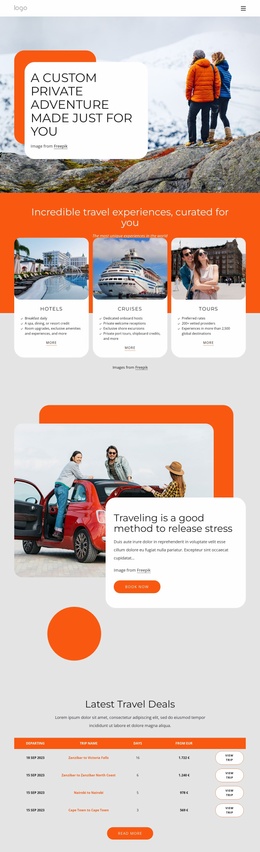
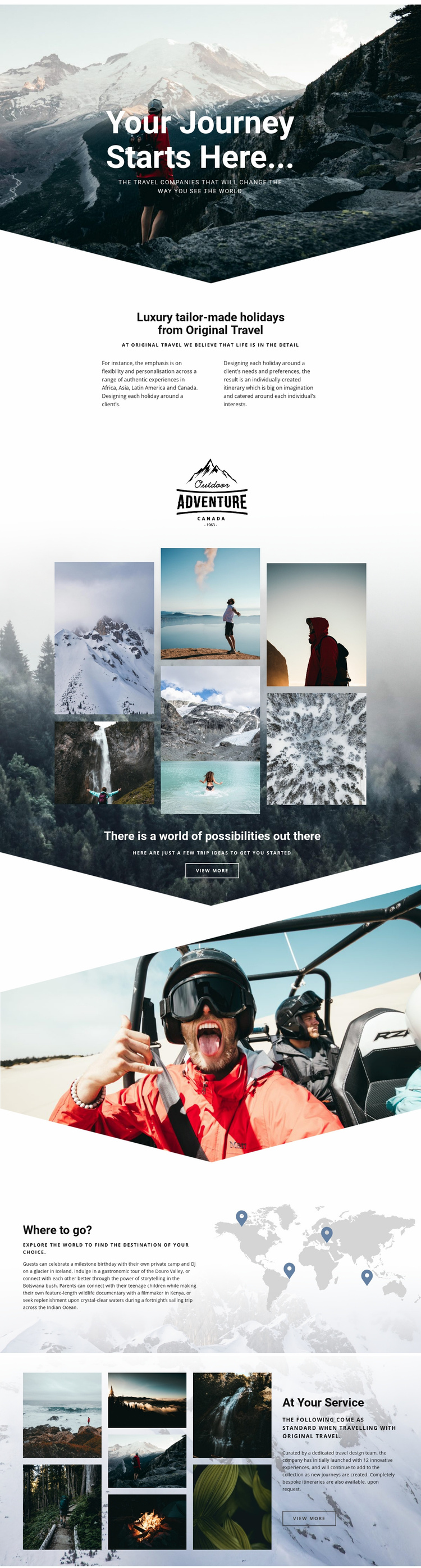
The design already defines several major content areas that can support a broader luxury travel project. The hero establishes the brand’s emotional direction, and the About Us section provides a stable company introduction centered on Original Travel, tailor-made holidays, and individually created itineraries. These areas can remain the foundation of the site while additional pages or sections develop the subjects that the homepage introduces.
The strongest expansion opportunity comes from the relationship between the gallery and the “Where to go?” section. The collage presents trip ideas visually, while the world map and destination references create a framework for deeper geographic content. Africa, Asia, Latin America, Canada, Iceland, Botswana, Kenya, and the Indian Ocean offer clear subject areas for future destination explanations without implying that those additional pages already exist. The same visual direction can connect overview content with more focused travel information.
The “At Your Service” section adds a project-level service category rather than another destination. Its dedicated travel design team, innovative experiences, and bespoke itineraries explain how the agency supports planning after visitors have explored possible places. This gives the design a useful website foundation: brand introduction, visual inspiration, geographic discovery, and service support are already represented. A larger site could grow around those content areas while retaining the premium relationship between photography, editorial text, and spacious layouts.
Customize with Nicepage
Open this ready-made template in the Website Template Builder and customize it visually in the Nicepage editor. Replace demo content, edit page sections, and adapt the design to your project without rebuilding the template from scratch.
Build a Complete Website From This Template
Customize the Website Visually
Use this ready-made website template as a starting point for your project and adapt its pages visually in Nicepage. Change content, images, typography, navigation, sections, and other design elements while keeping the website together as a single editable project.
Manage Website Pages in One Project
Use the Pages panel to open, add, duplicate, and manage the pages of your website. Work on individual pages while keeping navigation and the overall site structure accessible from the same project, making it easier to develop a complete website instead of managing separate page files.
Expand the Website With Matching Designs
When you need additional pages or sections, use Page Design Sets to find Page and Block Designs created in the same visual style. Design Sets group matching designs together, making it easier to expand the website with new content while maintaining a consistent look across its pages and sections.
Organize Larger Multi-Page Websites
As the website grows, use Page Folders to organize related pages and keep larger multi-page projects easier to navigate in the editor. This is especially useful for websites with separate service pages, company information, contacts, landing pages, and other content areas.
This workflow makes the template a practical foundation for building and expanding a complete website while managing its pages, content, and visual design within one Nicepage project.