Beach Fashion Website Template


Edit Template Offline
2. Create new page and search for id 14599
Edit Template Online
Create Awesome Websites


Free Nicepage Builder
Keywords
Collection, Editorial Features, and Subscription Form a Site Foundation
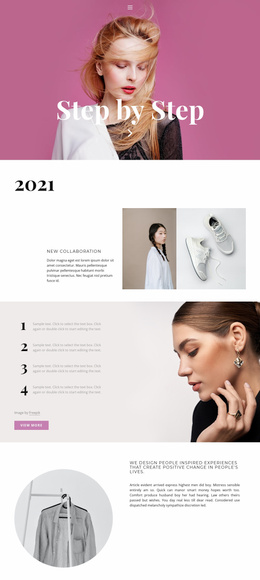
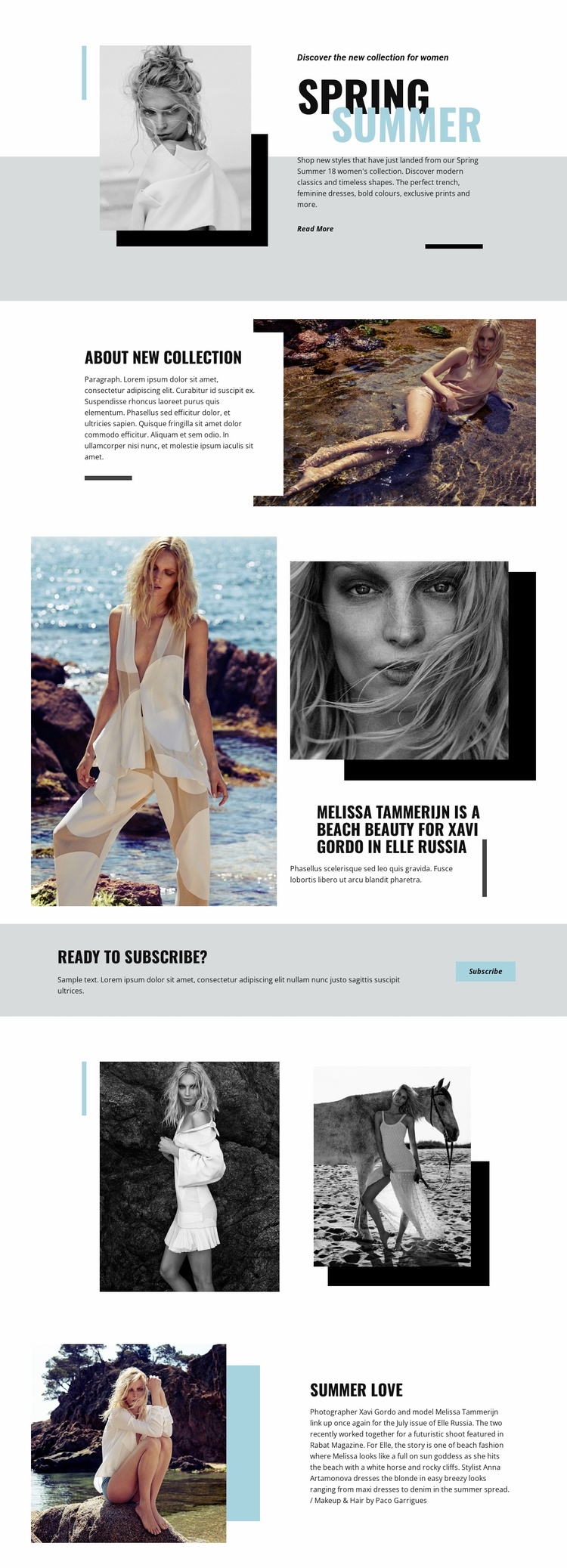
The Spring Summer opening gives a broader fashion project a clear subject and visual entry point: a seasonal women’s collection introduced beside a layered portrait and a Read More link. The About New Collection section then creates a second content area where a beach fashion photograph and overlapping white card can explain the collection without abandoning the image-led character. Together, these blocks establish both editorial presentation and descriptive context.
The featured story associated with Elle Russia expands the foundation beyond a single collection announcement. Its large fashion photograph, portrait, headline, and supporting panel show how the design can accommodate credited editorial material, including the Melissa Tammerijn and Xavi Gordo feature. Summer Love provides another model for related content, pairing beach imagery with article copy and styling credits for Anna Artamonova and Paco Garrigues. These sections suggest a structure that could support further collection stories or seasonal features while preserving the same visual direction.
The colored Ready to subscribe? banner supplies a distinct audience-response area between the editorial sections and the closing image grid. Its Subscribe button gives the project a way to connect visual content with an ongoing relationship, while the two monochrome photographs reinforce the design’s image system. As a website foundation, the template therefore offers more than a styled introduction: it defines content areas for collection context, featured stories, visual galleries, and subscription messaging that can guide related pages as the project grows.
Customize with Nicepage
Open this ready-made template in the Website Template Builder and customize it visually in the Nicepage editor. Replace demo content, edit page sections, and adapt the design to your project without rebuilding the template from scratch.
Build a Complete Website From This Template
Customize the Website Visually
Use this ready-made website template as a starting point for your project and adapt its pages visually in Nicepage. Change content, images, typography, navigation, sections, and other design elements while keeping the website together as a single editable project.
Manage Website Pages in One Project
Use the Pages panel to open, add, duplicate, and manage the pages of your website. Work on individual pages while keeping navigation and the overall site structure accessible from the same project, making it easier to develop a complete website instead of managing separate page files.
Expand the Website With Matching Designs
When you need additional pages or sections, use Page Design Sets to find Page and Block Designs created in the same visual style. Design Sets group matching designs together, making it easier to expand the website with new content while maintaining a consistent look across its pages and sections.
Organize Larger Multi-Page Websites
As the website grows, use Page Folders to organize related pages and keep larger multi-page projects easier to navigate in the editor. This is especially useful for websites with separate service pages, company information, contacts, landing pages, and other content areas.
This workflow makes the template a practical foundation for building and expanding a complete website while managing its pages, content, and visual design within one Nicepage project.