Creating Iconic Structures Web Page Design


A Split Header Leads Into a Focused Project Panel
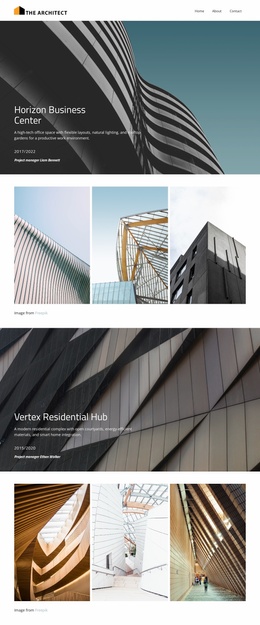
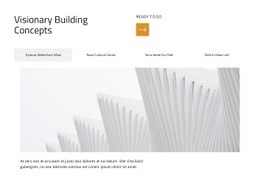
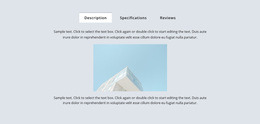
The page composition begins with an asymmetrical but balanced header. The large “Visionary Building Concepts” title occupies the left and establishes the visual entry point, while the readiness label and orange directional icon create a lighter counterweight on the right. This opening relationship gives the block a clear top-level hierarchy before visitors reach the project selector.
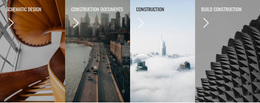
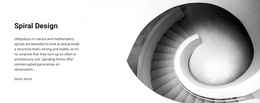
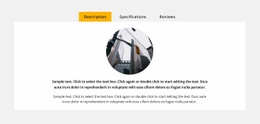
The thin four-item tab row acts as a horizontal transition between introduction and detail. It keeps the project choices visible in one line, then directs attention downward to the selected panel. Because the active panel uses one wide architectural image above its descriptive paragraph, the composition shifts from navigation to visual immersion and then to explanation. The image carries the strongest visual weight, while the compact text prevents the lower portion from becoming overly dense.
Within a webpage, this block can work as a substantial mid-page portfolio composition between broader introductory content and another section that follows. Its generous whitespace creates separation from neighboring blocks, and the pale active state provides interaction feedback without requiring a strong color field. The arrangement is therefore useful not only for showing projects, but also for creating a measured page rhythm: title, selector, image, then supporting information.
Customize with Nicepage
Open this ready-made template in the Web Page Design Builder and customize it visually in the Nicepage editor. Replace demo content, edit page sections, and adapt the design to your project without rebuilding the template from scratch.
Edit Template Offline
2. Create a new page or select existing
3. Click Add new block, search for id 6487660 and click enter
Edit Template Online
Create Awesome Websites


Free Nicepage Builder
Keywords
Design a Web Page Section by Section
Choose a Design for Each Section
Build the page from individual content sections instead of starting with a fixed full-page layout. Use Block Designs to browse ready-made sections for different purposes, including introductions, services, galleries, testimonials, contact forms, pricing, and other common parts of a web page. Search or filter the available designs to find a layout that fits the content you want to add.
Combine Blocks and Page Elements
Add selected Blocks to the page and arrange them in the order that supports the page's purpose. A hero section can introduce the main message, followed by services, benefits, portfolio content, testimonials, calls to action, or contact information.
Inside each section, use Web Page Elements such as Text, Image, Hyperlink, Grid, Gallery, and other elements to build and present the page content. Individual elements can be added and adjusted within the Blocks, giving you more control over the composition of each section without having to create the complete layout from scratch.
Refine the Page Layout and Flow
After assembling the main sections, adjust their content, spacing, backgrounds, images, typography, and element placement in the Nicepage editor. Reorder Blocks when necessary and refine the transition from one section to the next so the information hierarchy and visual flow remain clear throughout the page.
This workflow makes the template useful as a web page design that can be composed from ready-made sections, customized with individual page elements, rearranged, and adapted to the content and purpose of an individual page.