Architecture firm tabs Web Page Design


A Narrow Content Pane Anchored by Centered Tabs
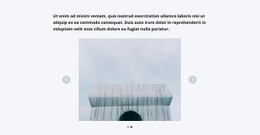
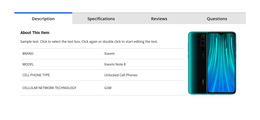
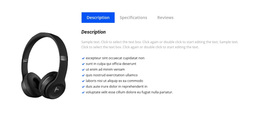
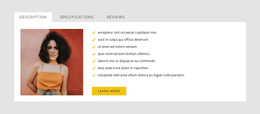
The block’s page composition is built around a centered relationship between navigation and content. Three horizontal labels sit above a single-column pane, giving visitors a clear entry point before they read the selected information. In the active Description view, two paragraphs share attention with a vertically oriented architectural image. The image supplies visual weight while the narrow text column keeps the explanatory copy readable, producing an intentionally contained composition rather than a wide multi-column spread.
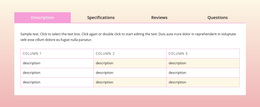
Specifications and Reviews change the information emphasis without changing the section’s spatial logic. Specifications reduces the pane to a descriptive text passage, while Reviews uses a prompt and review action to create a more participatory endpoint. Because each view occupies the same central area, the block can maintain a consistent page rhythm even as the content role changes. The light background and white active tab also make the selected state part of the composition, not merely a functional control.
Within one webpage, this section can act as a focused transition between a product presentation and neighboring information or action areas. Its centered alignment leaves surrounding page space available for other blocks, while the generous vertical spacing prevents the tab row and content from feeling compressed. The composition is therefore useful when product details need a strong but contained visual position.
Customize with Nicepage
Open this ready-made template in the Web Page Design Builder and customize it visually in the Nicepage editor. Replace demo content, edit page sections, and adapt the design to your project without rebuilding the template from scratch.
Edit Template Offline
2. Create a new page or select existing
3. Click Add new block, search for id 93558 and click enter
Edit Template Online
Create Awesome Websites


Free Nicepage Builder
Keywords
Design a Web Page With This Block as One Section
Place the Block in the Page Composition
Use Block Designs to combine individual sections into a complete page. The analyzed block contributes one part of that composition, while other sections can handle the introduction, services, proof, portfolio, pricing, contact, or other page-level needs.
Refine the Elements Inside the Block
Use Web Page Elements such as Text, Image, Hyperlink, Grid, Gallery, and other elements to refine the section's content. Adjust the existing elements without assuming that one block must carry the entire page structure.
Balance the Section With Neighboring Content
After the block is placed, refine its spacing, image scale, text density, alignment, and background treatment so the transition into and out of the section feels intentional. Reorder Blocks at the page level when necessary while keeping the internal composition of each section coherent.
This workflow treats the block as one compositional unit in a web page: internally designed, visually distinct, and coordinated with the sections around it.