Fashion Page Design Joomla Template



Edit Template Offline
2. Create new page and search for id 21490
Edit Template Online
Create Awesome Websites


Free Nicepage Builder
Keywords
Seasonal Collections and Navigation Create Structured Fashion Content
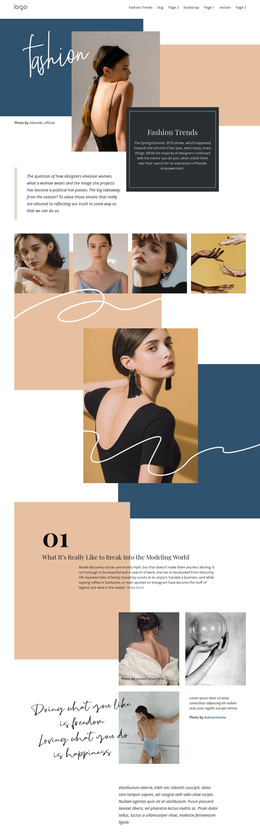
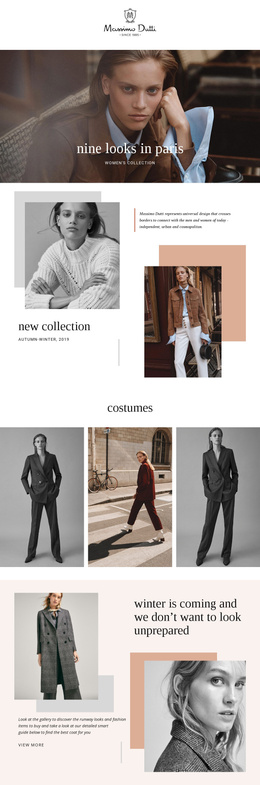
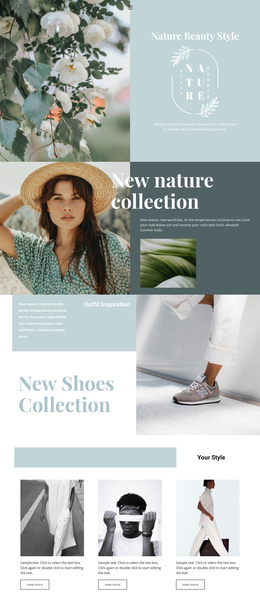
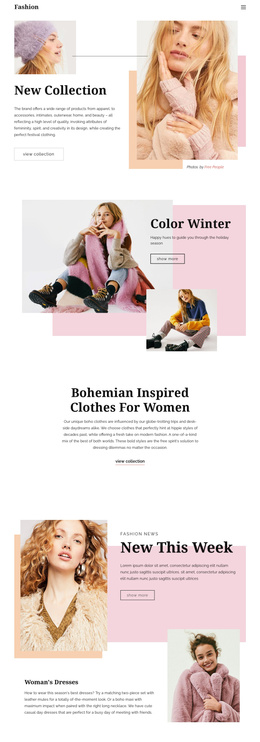
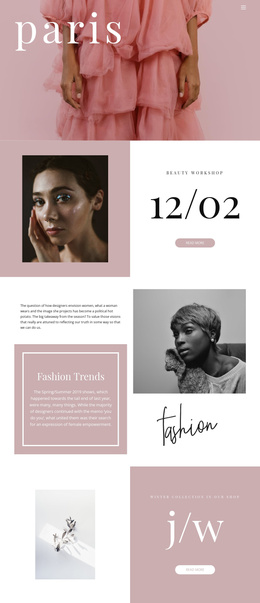
New Collection and Color Winter divide the opening presentation into two related but distinct fashion subjects. Each uses a split composition with prominent photography, a concise text area, and a browsing action, creating content zones that can be maintained separately while remaining visually coordinated. The centered Bohemian Inspired Clothes for Women section then provides a more text-led explanation of the collection direction rather than another image-heavy promotion.
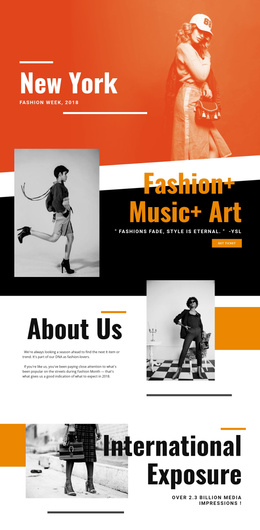
Further down, New This Week organizes new-arrival messaging with layered portraits, a promotional panel, and a separate women’s dresses feature. Gifts for Her shifts the emphasis toward gift-oriented merchandise through a large portrait and close-up accessory image, while Fashion Trends and New Look provide additional seasonal and styling content. These recurring areas give a CMS-managed fashion site several structured regions for collection information, promotional copy, and visual presentation.
The navigation, secondary-page path, newsletter form, and three-column footer complete the site-level frame. In a Joomla project, the design can therefore accommodate editorially maintained collection content without losing the relationship between menus, promotional sections, subscription content, and shared footer information. The Joomla Extension can support visual editing of such content, but the main value here is the template’s clear division of fashion subjects and reusable site regions.
Customize with Nicepage
Open this ready-made template in the Joomla Page Builder and customize it visually in the Nicepage editor. Replace demo content, edit page sections, and adapt the design to your project without rebuilding the template from scratch.
Work With This Template in Joomla
Customize and Install the Joomla Template
Start with this ready-made template instead of building the Joomla design from scratch. Customize its layout, content, typography, images, sections, and other design elements visually in the Nicepage application, then export and install the Joomla Template, Nicepage Extension, and supported content on your Joomla website.
Edit the Template Directly in Joomla
After installation, you can edit the Joomla Template directly in Joomla with the Nicepage Joomla Extension. Customize the Header, Footer, Colors, Fonts, typography, and Page Templates from the Joomla workflow while keeping the site design connected with your CMS content.
Edit Joomla Articles Visually
Use the Nicepage Joomla Extension to open and edit Joomla Articles visually from the Joomla Administrator. Change text, images, sections, layouts, and other page content in the Nicepage editor while continuing to manage the Articles through Joomla.
Joomla Content and Template Integration
Use the customized template together with Joomla Articles, module Positions, menus, forms, Blog Pages, and other supported CMS elements. With the Nicepage Extension used as the Site Style Source, shared design settings can be applied across Joomla Articles while Joomla continues to provide the CMS environment for managing site content.
This workflow combines a ready-made Joomla Template with visual customization, direct template editing in Joomla, and continued content management through the Nicepage Joomla Extension.