Seasonally inspired dishes Joomla Template


Grill Bar Content Organized Around a Restaurant Invitation
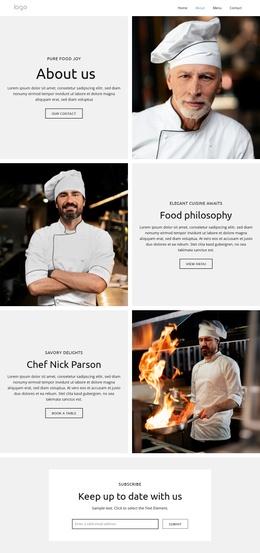
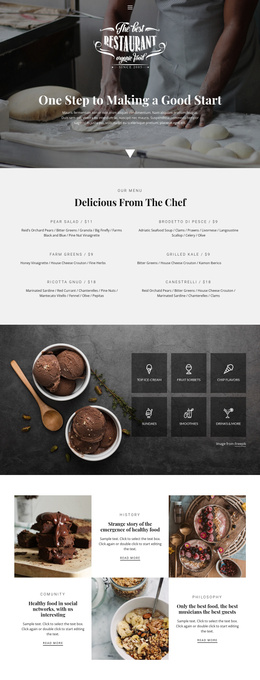
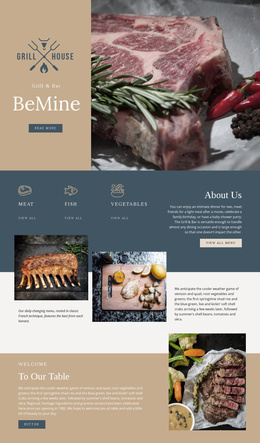
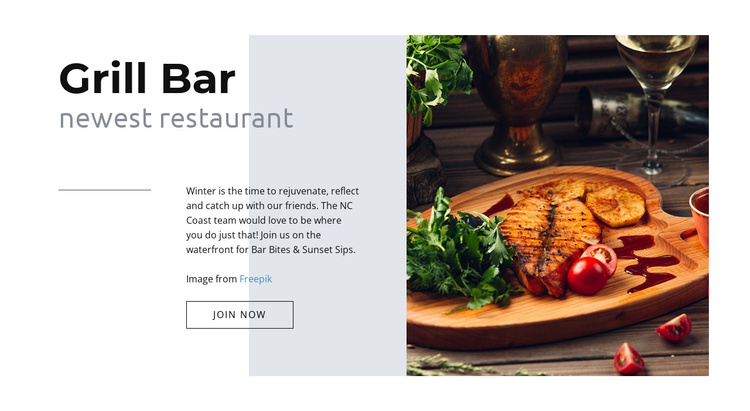
The left content area gives the block a straightforward information structure: “Grill Bar” identifies the restaurant, “newest restaurant” qualifies the introduction, and “Bar Bites & Sunset Sips” supplies the promotional theme. The outlined “join now” button follows that message as a single invitation, rather than competing with several actions. On the right, one prominent food photograph provides visual support for the restaurant subject, while the horizontal line adds separation within the composition.
In a Joomla-managed project, this arrangement can serve as a stable restaurant content region on a page. The section keeps its own heading, promotional message, invitation, and image relationship while the broader site manages other content around it. Additional pages or sections can handle menus, opening information, reservations, or location details without requiring this block to carry those functions.
The CMS context is most useful here as a way to preserve a recognizable content unit: identity, short supporting description, one response point, and a relevant image. The pale gray background, darker translucent geometric panel, and restrained black and muted gray typography give that unit a consistent visual boundary. A Joomla-oriented page can therefore place the section alongside other managed content while retaining the block’s original restaurant-introduction logic and asymmetric visual emphasis.
Customize with Nicepage
Open this ready-made template in the Joomla Page Builder and customize it visually in the Nicepage editor. Replace demo content, edit page sections, and adapt the design to your project without rebuilding the template from scratch.
Edit Template Offline
2. Create a new page or select existing
3. Click Add new block, search for id 65737 and click enter
Edit Template Online
Create Awesome Websites


Free Nicepage Builder
Keywords
Work With This Template in Joomla
Customize and Install the Joomla Template
Start with this ready-made template instead of building the Joomla design from scratch. Customize its layout, content, typography, images, sections, and other design elements visually in the Nicepage application, then export and install the Joomla Template, Nicepage Extension, and supported content on your Joomla website.
Edit the Template Directly in Joomla
After installation, you can edit the Joomla Template directly in Joomla with the Nicepage Joomla Extension. Customize the Header, Footer, Colors, Fonts, typography, and Page Templates from the Joomla workflow while keeping the site design connected with your CMS content.
Edit Joomla Articles Visually
Use the Nicepage Joomla Extension to open and edit Joomla Articles visually from the Joomla Administrator. Change text, images, sections, layouts, and other page content in the Nicepage editor while continuing to manage the Articles through Joomla.
Joomla Content and Template Integration
Use the customized template together with Joomla Articles, module Positions, menus, forms, Blog Pages, and other supported CMS elements. With the Nicepage Extension used as the Site Style Source, shared design settings can be applied across Joomla Articles while Joomla continues to provide the CMS environment for managing site content.
This workflow combines a ready-made Joomla Template with visual customization, direct template editing in Joomla, and continued content management through the Nicepage Joomla Extension.