Flexible pricing plans Joomla Template


Edit Template Offline
2. Create new page and search for id 6542047
Edit Template Online
Create Awesome Websites


Free Nicepage Builder
Keywords
Package categories and support regions suit structured CMS-managed content
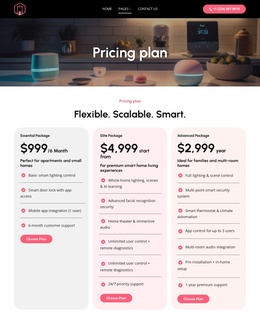
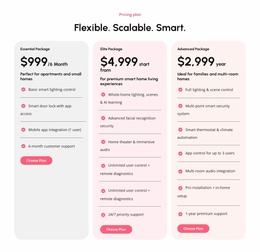
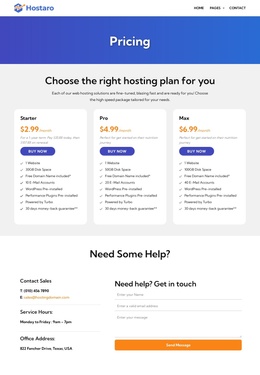
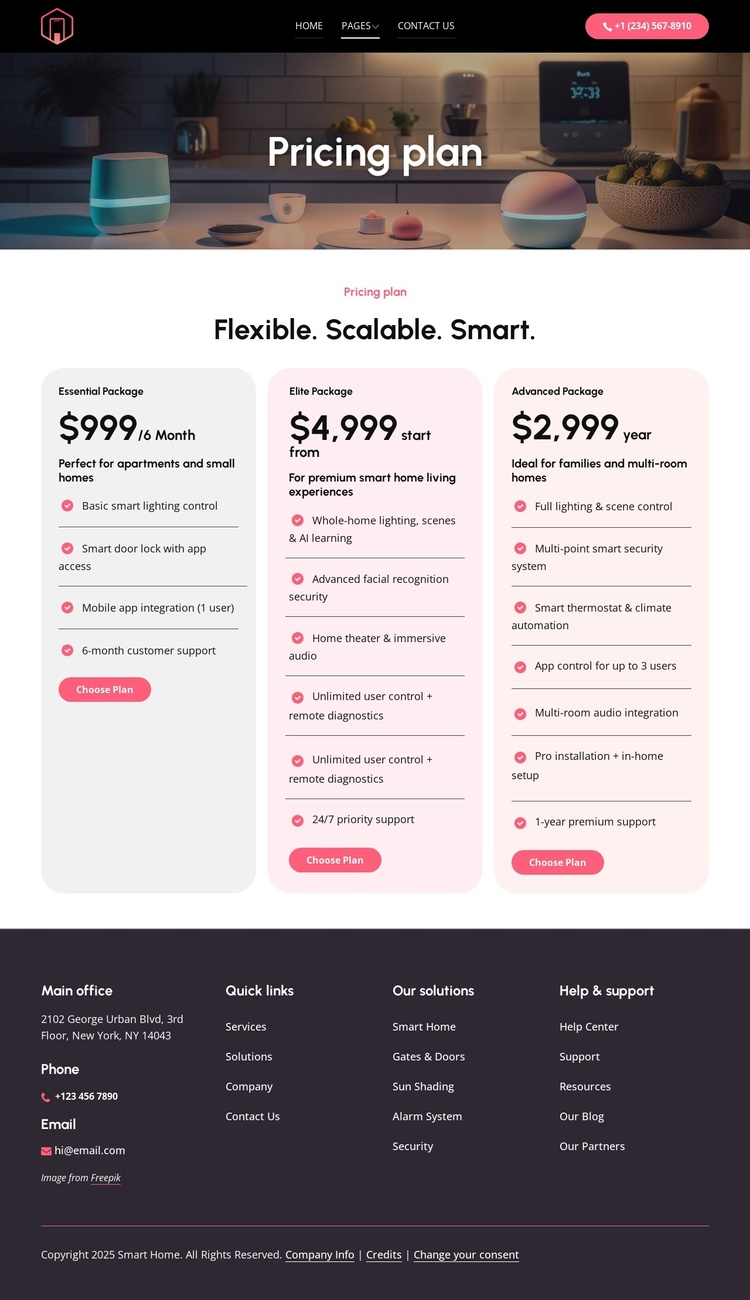
The three package cards divide the central offer into recurring informational areas that can be maintained as distinct content groups in a Joomla-oriented site. Essential, Advanced, and Elite each have their own title, price, audience guidance, feature list, and Choose Plan action. The feature content covers recognizable service categories such as lighting control, app access, security, climate automation, audio integration, installation, and support. This division gives editors a practical content structure without claiming that Joomla Articles or categories already exist in the template.
The header provides a shared navigation region with Home, Pages, Contact Us, a logo, and a phone action. These elements create a stable route through the page, while the mobile-navigation markup indicates that the navigation has a separate compact presentation in the HTML. At the opposite end, the dark footer groups contact channels, the main office label, quick links, solution categories, and help and support links into reusable information regions.
That combination is useful for a Joomla project where package information, service descriptions, and support details may need regular content management while retaining one coordinated visual arrangement. The page’s strong division between navigation, offer content, and footer regions also leaves room for the wider site structure to grow around the pricing page without treating the sample address or contact values as verified business data.
Customize with Nicepage
Open this ready-made template in the Joomla Page Builder and customize it visually in the Nicepage editor. Replace demo content, edit page sections, and adapt the design to your project without rebuilding the template from scratch.
Work With This Template in Joomla
Customize and Install the Joomla Template
Start with this ready-made template instead of building the Joomla design from scratch. Customize its layout, content, typography, images, sections, and other design elements visually in the Nicepage application, then export and install the Joomla Template, Nicepage Extension, and supported content on your Joomla website.
Edit the Template Directly in Joomla
After installation, you can edit the Joomla Template directly in Joomla with the Nicepage Joomla Extension. Customize the Header, Footer, Colors, Fonts, typography, and Page Templates from the Joomla workflow while keeping the site design connected with your CMS content.
Edit Joomla Articles Visually
Use the Nicepage Joomla Extension to open and edit Joomla Articles visually from the Joomla Administrator. Change text, images, sections, layouts, and other page content in the Nicepage editor while continuing to manage the Articles through Joomla.
Joomla Content and Template Integration
Use the customized template together with Joomla Articles, module Positions, menus, forms, Blog Pages, and other supported CMS elements. With the Nicepage Extension used as the Site Style Source, shared design settings can be applied across Joomla Articles while Joomla continues to provide the CMS environment for managing site content.
This workflow combines a ready-made Joomla Template with visual customization, direct template editing in Joomla, and continued content management through the Nicepage Joomla Extension.