About hr agency Joomla Template


The heading and tagline create a structured agency content region
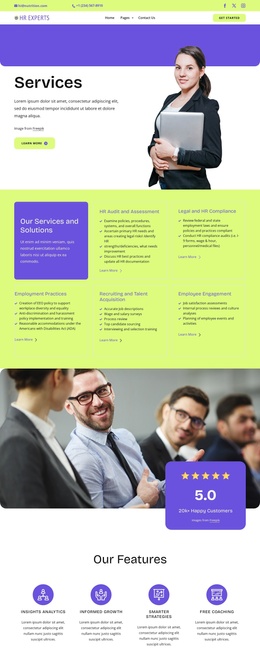
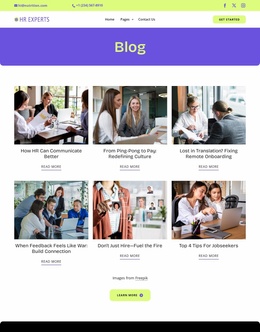
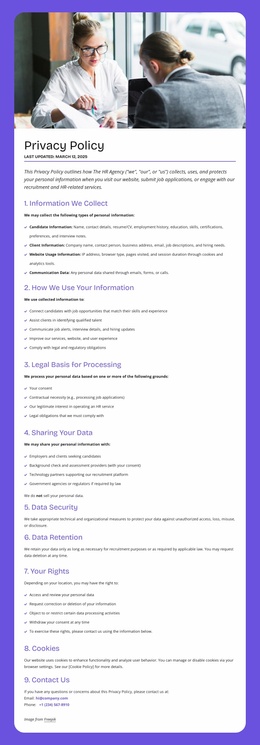
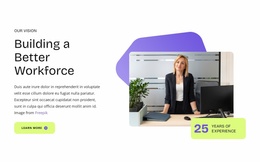
The right-hand panel groups the block’s primary informational content: the “About HR Agency” heading identifies the subject, and “Connecting People. Empowering Careers.” gives the section its central career-focused statement. The “Get Started Today” button follows that message as a response point. On the left, the smiling portrait of a suited man provides a separate human and visual context, creating a clear relationship between agency identity and career communication.
In a Joomla-managed page, this arrangement can function as a stable content region for an HR or recruitment site. The section’s content is specific enough to remain recognizable when placed beside other managed material, while its two-part structure keeps the about message visually separate from surrounding information. Lime and purple color fields reinforce the division, and rounded corners plus open spacing help the region retain its identity within a larger page layout.
The block can therefore support structured agency information without needing to become a Joomla site or template itself. Related content elsewhere in the project may handle services, vacancies, contact details, or further recruitment information. This section’s role is narrower and useful: it introduces the organization, frames its career-oriented message, and offers one visible next step through the existing rounded button.
Customize with Nicepage
Open this ready-made template in the Joomla Page Builder and customize it visually in the Nicepage editor. Replace demo content, edit page sections, and adapt the design to your project without rebuilding the template from scratch.
Edit Template Offline
2. Create a new page or select existing
3. Click Add new block, search for id 6520329 and click enter
Edit Template Online
Create Awesome Websites


Free Nicepage Builder
Keywords
Work With This Template in Joomla
Customize and Install the Joomla Template
Start with this ready-made template instead of building the Joomla design from scratch. Customize its layout, content, typography, images, sections, and other design elements visually in the Nicepage application, then export and install the Joomla Template, Nicepage Extension, and supported content on your Joomla website.
Edit the Template Directly in Joomla
After installation, you can edit the Joomla Template directly in Joomla with the Nicepage Joomla Extension. Customize the Header, Footer, Colors, Fonts, typography, and Page Templates from the Joomla workflow while keeping the site design connected with your CMS content.
Edit Joomla Articles Visually
Use the Nicepage Joomla Extension to open and edit Joomla Articles visually from the Joomla Administrator. Change text, images, sections, layouts, and other page content in the Nicepage editor while continuing to manage the Articles through Joomla.
Joomla Content and Template Integration
Use the customized template together with Joomla Articles, module Positions, menus, forms, Blog Pages, and other supported CMS elements. With the Nicepage Extension used as the Site Style Source, shared design settings can be applied across Joomla Articles while Joomla continues to provide the CMS environment for managing site content.
This workflow combines a ready-made Joomla Template with visual customization, direct template editing in Joomla, and continued content management through the Nicepage Joomla Extension.