Innovative Architecture Joomla Template


Repeated office records suit structured Joomla content
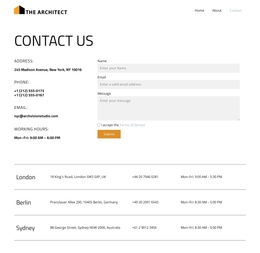
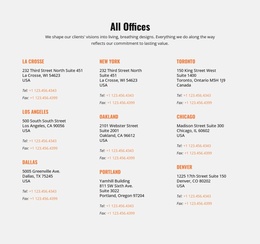
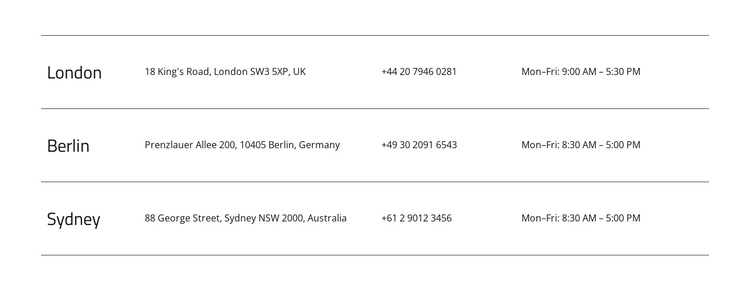
The three location rows form a compact information region that can sit naturally within a Joomla-managed page. Each record follows the same sequence—city, address, telephone number, and opening hours—so the contact details have a stable structure even as the surrounding site grows. London, Berlin, and Sydney function as recognizable record labels, while the remaining columns supply the practical information associated with each place.
Thin horizontal rules make the repeated records easy to distinguish without turning the section into a dense card grid. The white background and left alignment support quick comparison, and the larger city labels establish a visual index through the rows. Because the interaction is static, the section presents its structured information directly; it does not depend on a carousel, accordion, or other changing view to expose the office details.
In a Joomla-oriented composition, this block can serve as a reusable contact region alongside other managed page content. Its regular content model is appropriate for office directories, location summaries, or similar informational records, while the broader CMS environment can handle the surrounding editorial structure. The section keeps its own visual order: every city remains paired with its address, telephone number, and hours, making the contact information easier to maintain as one coherent group within the page.
Customize with Nicepage
Open this ready-made template in the Joomla Page Builder and customize it visually in the Nicepage editor. Replace demo content, edit page sections, and adapt the design to your project without rebuilding the template from scratch.
Edit Template Offline
2. Create a new page or select existing
3. Click Add new block, search for id 6488279 and click enter
Edit Template Online
Create Awesome Websites


Free Nicepage Builder
Keywords
Work With This Template in Joomla
Customize and Install the Joomla Template
Start with this ready-made template instead of building the Joomla design from scratch. Customize its layout, content, typography, images, sections, and other design elements visually in the Nicepage application, then export and install the Joomla Template, Nicepage Extension, and supported content on your Joomla website.
Edit the Template Directly in Joomla
After installation, you can edit the Joomla Template directly in Joomla with the Nicepage Joomla Extension. Customize the Header, Footer, Colors, Fonts, typography, and Page Templates from the Joomla workflow while keeping the site design connected with your CMS content.
Edit Joomla Articles Visually
Use the Nicepage Joomla Extension to open and edit Joomla Articles visually from the Joomla Administrator. Change text, images, sections, layouts, and other page content in the Nicepage editor while continuing to manage the Articles through Joomla.
Joomla Content and Template Integration
Use the customized template together with Joomla Articles, module Positions, menus, forms, Blog Pages, and other supported CMS elements. With the Nicepage Extension used as the Site Style Source, shared design settings can be applied across Joomla Articles while Joomla continues to provide the CMS environment for managing site content.
This workflow combines a ready-made Joomla Template with visual customization, direct template editing in Joomla, and continued content management through the Nicepage Joomla Extension.