One Structure at a Time Joomla Template


Edit Template Offline
2. Create new page and search for id 6488254
Edit Template Online
Create Awesome Websites


Free Nicepage Builder
Keywords
Awards, roles, and project content form clear Joomla regions
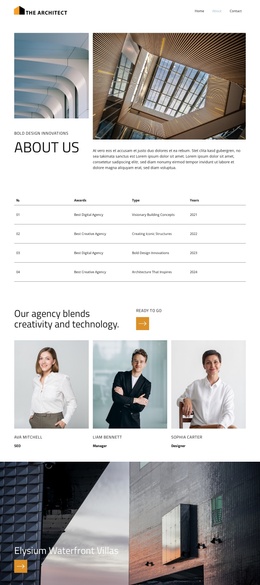
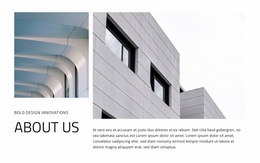
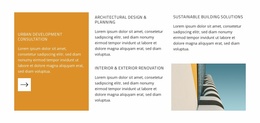
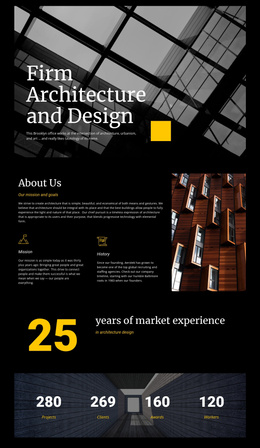
The About Us introduction gives the design a defined editorial starting point, combining a narrow image-and-label column with a larger architectural image and descriptive content. Below it, the four-entry awards table separates recognition records into a repeated structure with dates from 2021 through 2024. That distinction is useful for a Joomla-managed site because the agency story and its recurring records can be treated as separate content areas rather than one uninterrupted text block.
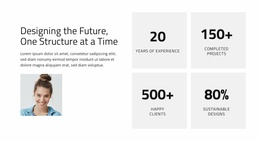
The team section adds another structured region: a centered agency statement sits above three equal portrait cards, while SEO, Manager, and Designer labels clarify the roles represented in the presentation. The Elysium Waterfront Villas feature then shifts the page from organizational information to a specific architectural project, using a large image, overlaid title, and accent action icon. Two testimonial cards continue the progression from agency identity to external response, and the subscription form provides a separate place for visitors to request the latest blog stories.
The footer completes the site-wide frame with branding, supporting text columns, and links to Facebook, Twitter, and Instagram. In Joomla, these distinct areas can support organized article, menu, and reusable site-region planning while preserving the template’s visual relationship between architecture, agency information, project presentation, and ongoing content.
Customize with Nicepage
Open this ready-made template in the Joomla Page Builder and customize it visually in the Nicepage editor. Replace demo content, edit page sections, and adapt the design to your project without rebuilding the template from scratch.
Work With This Template in Joomla
Customize and Install the Joomla Template
Start with this ready-made template instead of building the Joomla design from scratch. Customize its layout, content, typography, images, sections, and other design elements visually in the Nicepage application, then export and install the Joomla Template, Nicepage Extension, and supported content on your Joomla website.
Edit the Template Directly in Joomla
After installation, you can edit the Joomla Template directly in Joomla with the Nicepage Joomla Extension. Customize the Header, Footer, Colors, Fonts, typography, and Page Templates from the Joomla workflow while keeping the site design connected with your CMS content.
Edit Joomla Articles Visually
Use the Nicepage Joomla Extension to open and edit Joomla Articles visually from the Joomla Administrator. Change text, images, sections, layouts, and other page content in the Nicepage editor while continuing to manage the Articles through Joomla.
Joomla Content and Template Integration
Use the customized template together with Joomla Articles, module Positions, menus, forms, Blog Pages, and other supported CMS elements. With the Nicepage Extension used as the Site Style Source, shared design settings can be applied across Joomla Articles while Joomla continues to provide the CMS environment for managing site content.
This workflow combines a ready-made Joomla Template with visual customization, direct template editing in Joomla, and continued content management through the Nicepage Joomla Extension.