Book your next appointment Joomla Template


Structured Appointment Information for a Joomla Content Area
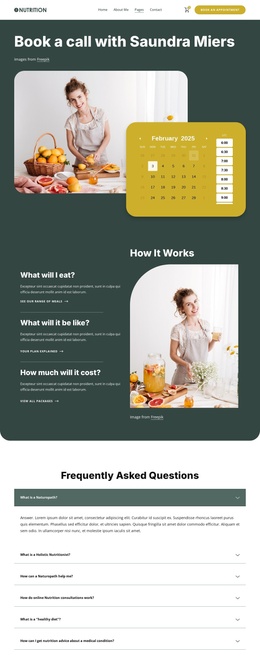
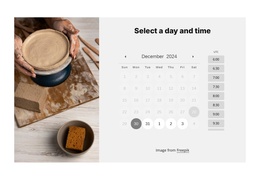
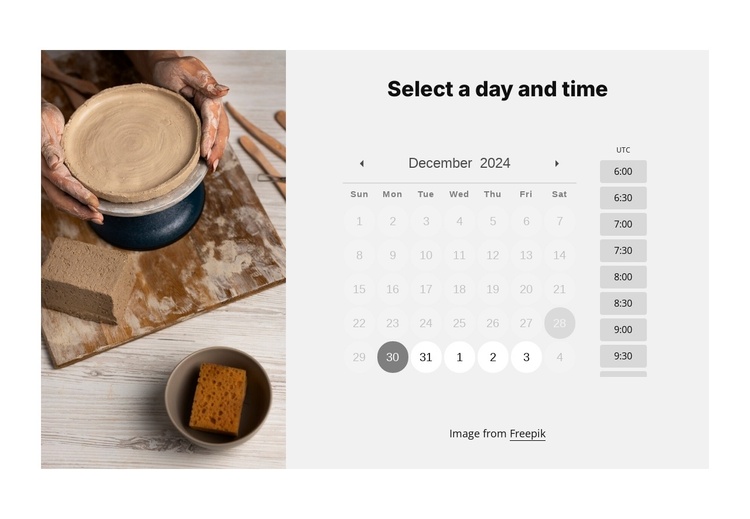
The pottery photograph, scheduling heading, and date-and-time controls divide this block into clear informational roles. The left column supplies visual context for a class, workshop, or service, while the right column concentrates the appointment task under “Select a day and time.” The date picker establishes the selected day, the timezone label clarifies the time reference, and the available time-slot controls present the next choice in the same content region.
In a Joomla-managed page, this arrangement can serve as a stable scheduling section alongside other structured information. It can sit near descriptions, instructor or service details, or contact content without being treated as the entire Joomla Template. The block’s status messages are especially relevant to the content relationship: no availability, successful booking, conflict, and error feedback all belong to the same appointment exchange and can be presented within this bounded area.
The visual treatment supports that role without changing the content model. A white outer background frames a light-gray calendar panel, restrained gray controls keep the interface calm, and evenly spaced rectangular time-slot buttons make the available choices distinct. The pottery image gives the section a recognizable subject while the scheduler remains the primary information area. In a broader Joomla project, this block can therefore function as one reusable content region for appointment selection.
Customize with Nicepage
Open this ready-made template in the Joomla Page Builder and customize it visually in the Nicepage editor. Replace demo content, edit page sections, and adapt the design to your project without rebuilding the template from scratch.
Edit Template Offline
2. Create a new page or select existing
3. Click Add new block, search for id 6415769 and click enter
Edit Template Online
Create Awesome Websites


Free Nicepage Builder
Keywords
Work With This Template in Joomla
Customize and Install the Joomla Template
Start with this ready-made template instead of building the Joomla design from scratch. Customize its layout, content, typography, images, sections, and other design elements visually in the Nicepage application, then export and install the Joomla Template, Nicepage Extension, and supported content on your Joomla website.
Edit the Template Directly in Joomla
After installation, you can edit the Joomla Template directly in Joomla with the Nicepage Joomla Extension. Customize the Header, Footer, Colors, Fonts, typography, and Page Templates from the Joomla workflow while keeping the site design connected with your CMS content.
Edit Joomla Articles Visually
Use the Nicepage Joomla Extension to open and edit Joomla Articles visually from the Joomla Administrator. Change text, images, sections, layouts, and other page content in the Nicepage editor while continuing to manage the Articles through Joomla.
Joomla Content and Template Integration
Use the customized template together with Joomla Articles, module Positions, menus, forms, Blog Pages, and other supported CMS elements. With the Nicepage Extension used as the Site Style Source, shared design settings can be applied across Joomla Articles while Joomla continues to provide the CMS environment for managing site content.
This workflow combines a ready-made Joomla Template with visual customization, direct template editing in Joomla, and continued content management through the Nicepage Joomla Extension.