Engage Your Audience Joomla Template


Edit Template Offline
2. Create new page and search for id 6393002
Edit Template Online
Create Awesome Websites


Free Nicepage Builder
Keywords
Services, Navigation, and Contact Regions Suit Structured CMS Content
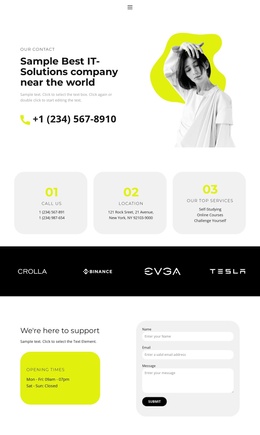
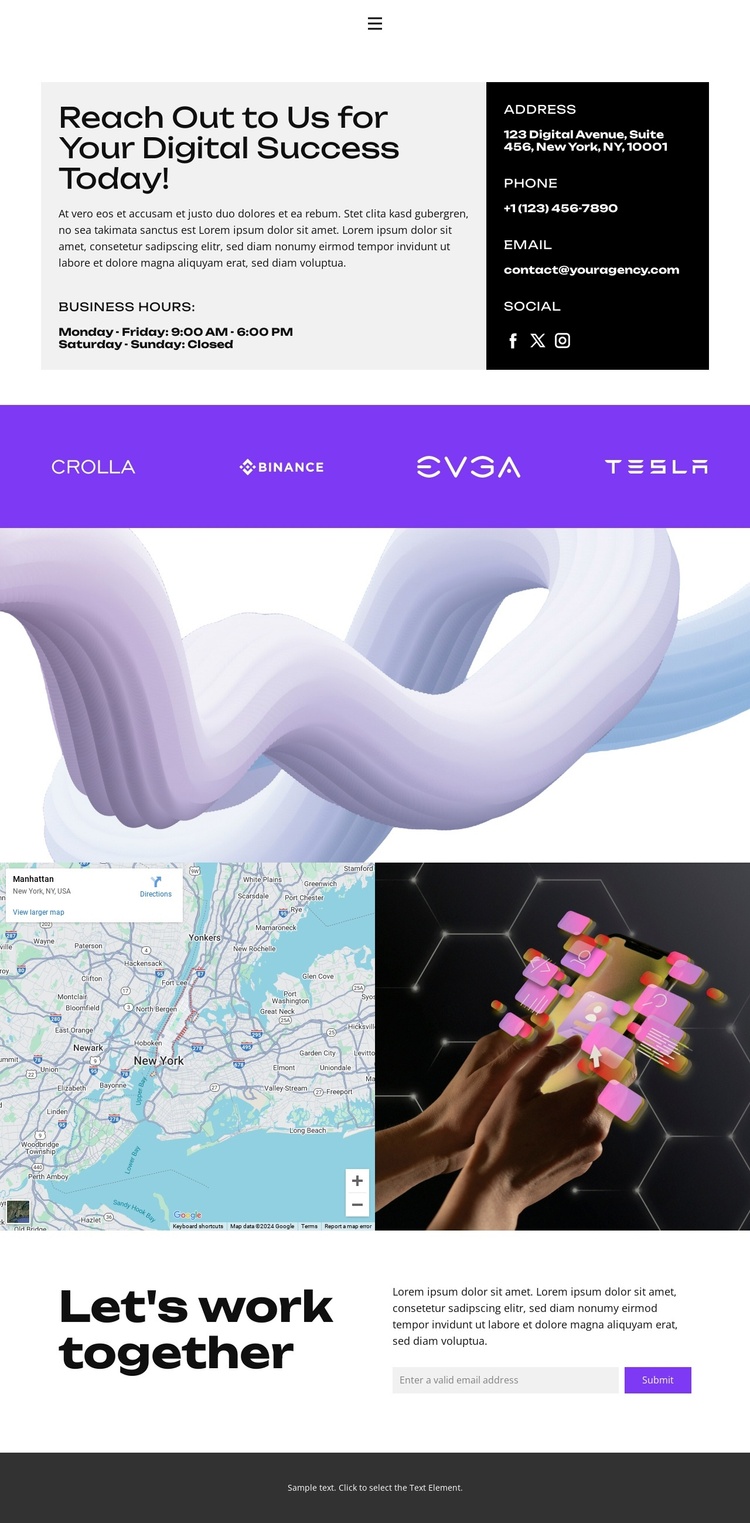
The design divides communication into recognizable content regions that can be maintained within a Joomla-oriented site structure. The opening contact panel separates introductory messaging from business hours, contact details, and social links, giving the page a defined information area rather than one undifferentiated text block. Its navigation also names five destinations—Home, About, Projects, FAQ, and Contact—so the contact page sits within a broader site path.
The repeated strip of 12 brand logos can function as a stable association area beneath the opening information. Because the logos repeat within one horizontal band, their presentation is visually consistent even when the underlying project replaces the sample marks with approved brand content. The map and technology-themed image later create another structured region, pairing location-oriented information with visual context.
The final collaboration block is particularly suitable for organized contact content: its heading, supporting copy, email submission control, and Submit action give the page a defined inquiry area. A Joomla implementation could preserve these regions while site editors manage the actual text, links, and contact information through the CMS. The displayed address, phone number, email, and hours are sample content and should not be presented as verified business details. If a product bridge is needed, the Nicepage Joomla Extension can support Joomla article design, but the template analysis does not claim that Joomla content already exists here.
Customize with Nicepage
Open this ready-made template in the Joomla Page Builder and customize it visually in the Nicepage editor. Replace demo content, edit page sections, and adapt the design to your project without rebuilding the template from scratch.
Work With This Template in Joomla
Customize and Install the Joomla Template
Start with this ready-made template instead of building the Joomla design from scratch. Customize its layout, content, typography, images, sections, and other design elements visually in the Nicepage application, then export and install the Joomla Template, Nicepage Extension, and supported content on your Joomla website.
Edit the Template Directly in Joomla
After installation, you can edit the Joomla Template directly in Joomla with the Nicepage Joomla Extension. Customize the Header, Footer, Colors, Fonts, typography, and Page Templates from the Joomla workflow while keeping the site design connected with your CMS content.
Edit Joomla Articles Visually
Use the Nicepage Joomla Extension to open and edit Joomla Articles visually from the Joomla Administrator. Change text, images, sections, layouts, and other page content in the Nicepage editor while continuing to manage the Articles through Joomla.
Joomla Content and Template Integration
Use the customized template together with Joomla Articles, module Positions, menus, forms, Blog Pages, and other supported CMS elements. With the Nicepage Extension used as the Site Style Source, shared design settings can be applied across Joomla Articles while Joomla continues to provide the CMS environment for managing site content.
This workflow combines a ready-made Joomla Template with visual customization, direct template editing in Joomla, and continued content management through the Nicepage Joomla Extension.