Intellectual Property Protection Joomla Template



Six Practice Areas Give the Team Section a Clear Content Structure
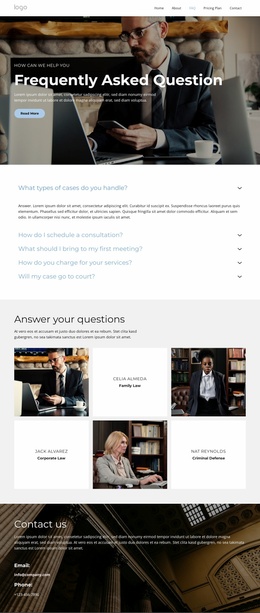
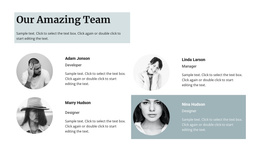
The six tiles divide the legal information into stable, readable content units. A portrait introduces each team member visually, while the neighboring white panel carries the member name and one practice-area label. Together, these repeated relationships turn the block into a structured team region: family, corporate, criminal defense, intellectual property, environmental, and employment law each receive a distinct visual position.
Within a Joomla-managed page, this arrangement can function as a reusable section for structured professional information. The four-row pattern and alternating image-and-text positions make the content easy to distinguish from neighboring areas that may explain services, firm information, or contact details. The light gray background provides separation, while centered typography, uppercase names, bold practice labels, and consistent rectangular portraits keep all six entries within one visual system. Joomla can provide the surrounding content environment, but the section itself remains focused on presenting team members and their practice areas. That makes it suitable for a page region whose information needs to stay organized and visually consistent as the wider site develops. The repeated structure also leaves the six practice areas easy to scan without reducing them to an undifferentiated list.
Customize with Nicepage
Open this ready-made template in the Joomla Page Builder and customize it visually in the Nicepage editor. Replace demo content, edit page sections, and adapt the design to your project without rebuilding the template from scratch.
Edit Template Offline
2. Create a new page or select existing
3. Click Add new block, search for id 6319807 and click enter
Edit Template Online
Create Awesome Websites


Free Nicepage Builder
Keywords
Work With This Template in Joomla
Customize and Install the Joomla Template
Start with this ready-made template instead of building the Joomla design from scratch. Customize its layout, content, typography, images, sections, and other design elements visually in the Nicepage application, then export and install the Joomla Template, Nicepage Extension, and supported content on your Joomla website.
Edit the Template Directly in Joomla
After installation, you can edit the Joomla Template directly in Joomla with the Nicepage Joomla Extension. Customize the Header, Footer, Colors, Fonts, typography, and Page Templates from the Joomla workflow while keeping the site design connected with your CMS content.
Edit Joomla Articles Visually
Use the Nicepage Joomla Extension to open and edit Joomla Articles visually from the Joomla Administrator. Change text, images, sections, layouts, and other page content in the Nicepage editor while continuing to manage the Articles through Joomla.
Joomla Content and Template Integration
Use the customized template together with Joomla Articles, module Positions, menus, forms, Blog Pages, and other supported CMS elements. With the Nicepage Extension used as the Site Style Source, shared design settings can be applied across Joomla Articles while Joomla continues to provide the CMS environment for managing site content.
This workflow combines a ready-made Joomla Template with visual customization, direct template editing in Joomla, and continued content management through the Nicepage Joomla Extension.