Explore possibilities Joomla Template



Edit Template Offline
2. Create new page and search for id 6263267
Edit Template Online
Create Awesome Websites


Free Nicepage Builder
Keywords
Capability Areas and Contact Regions for Structured Joomla Content
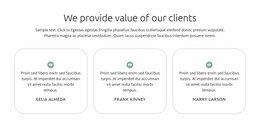
The three capability cards give the page a clear first group of informational regions: financing solutions and company planning are presented as separate topics beneath a shared statement about preparation and the future. Further down, data modelling and analytics and investment foundations appear beside explanatory copy and a supporting photograph. In a Joomla project, these distinct service-oriented areas can be treated as organized content regions while the navigation, contact prompts, and shared footer preserve a consistent route through the page.
The design also separates several types of recurring information. The six portrait cards introduce people and roles, the orange band presents a direct contact action, and the teal strip highlights safety and service before another quote request. At the bottom, contact details and a newsletter subscription area create a practical closing region rather than leaving the page with only promotional copy. This combination suits a CMS-managed consulting presentation where structured information, team content, calls to action, and contact material need to remain visually coordinated. Joomla-specific editing capabilities are not assumed to be present in the source design; the value lies in how its clearly divided service, people, and contact areas can be mapped into an organized Joomla site.
Customize with Nicepage
Open this ready-made template in the Joomla Page Builder and customize it visually in the Nicepage editor. Replace demo content, edit page sections, and adapt the design to your project without rebuilding the template from scratch.
Work With This Template in Joomla
Customize and Install the Joomla Template
Start with this ready-made template instead of building the Joomla design from scratch. Customize its layout, content, typography, images, sections, and other design elements visually in the Nicepage application, then export and install the Joomla Template, Nicepage Extension, and supported content on your Joomla website.
Edit the Template Directly in Joomla
After installation, you can edit the Joomla Template directly in Joomla with the Nicepage Joomla Extension. Customize the Header, Footer, Colors, Fonts, typography, and Page Templates from the Joomla workflow while keeping the site design connected with your CMS content.
Edit Joomla Articles Visually
Use the Nicepage Joomla Extension to open and edit Joomla Articles visually from the Joomla Administrator. Change text, images, sections, layouts, and other page content in the Nicepage editor while continuing to manage the Articles through Joomla.
Joomla Content and Template Integration
Use the customized template together with Joomla Articles, module Positions, menus, forms, Blog Pages, and other supported CMS elements. With the Nicepage Extension used as the Site Style Source, shared design settings can be applied across Joomla Articles while Joomla continues to provide the CMS environment for managing site content.
This workflow combines a ready-made Joomla Template with visual customization, direct template editing in Joomla, and continued content management through the Nicepage Joomla Extension.