SEO services company Joomla Template



Edit Template Offline
2. Create new page and search for id 6016959
Edit Template Online
Create Awesome Websites


Free Nicepage Builder
Keywords
Audit Content and Service Regions Fit a Managed Joomla Site
The design divides its agency information into clear regions that can be interpreted as managed site content rather than as one undifferentiated promotional block. The hero establishes the SEO offer and places a performance audit form beside it. The service-introduction section then explains the approach through an illustration, copy, and a button, while the three feature cards separate individual support capabilities into repeated content units.
The six audit cards provide a particularly useful structured information area. Their subjects—title tags and meta descriptions, URL review, A/B testing, duplicate copy, backlinks, and navigation structure—can remain visually coordinated while the wording and supporting explanations are maintained as distinct content. The three numbered credential cards and the team profiles create additional repeatable regions, with the profiles also containing social-link groups. Navigation, the shared visual treatment, and the final contact area connect those regions into one site experience.
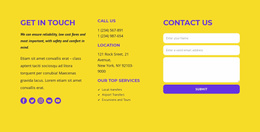
The closing section is suited to structured service and contact information because it brings together the listed Web Design, SEO, and Hosting services, social links, contact details, a New York location listing, and a second form. In a Joomla project, these regions can provide a practical content organization around the existing design without assuming that Joomla Articles, modules, or categories already exist in the template. The Joomla Extension is an optional implementation bridge; the central value remains the relationship between the confirmed agency sections and CMS-managed content.
Customize with Nicepage
Open this ready-made template in the Joomla Page Builder and customize it visually in the Nicepage editor. Replace demo content, edit page sections, and adapt the design to your project without rebuilding the template from scratch.
Work With This Template in Joomla
Customize and Install the Joomla Template
Start with this ready-made template instead of building the Joomla design from scratch. Customize its layout, content, typography, images, sections, and other design elements visually in the Nicepage application, then export and install the Joomla Template, Nicepage Extension, and supported content on your Joomla website.
Edit the Template Directly in Joomla
After installation, you can edit the Joomla Template directly in Joomla with the Nicepage Joomla Extension. Customize the Header, Footer, Colors, Fonts, typography, and Page Templates from the Joomla workflow while keeping the site design connected with your CMS content.
Edit Joomla Articles Visually
Use the Nicepage Joomla Extension to open and edit Joomla Articles visually from the Joomla Administrator. Change text, images, sections, layouts, and other page content in the Nicepage editor while continuing to manage the Articles through Joomla.
Joomla Content and Template Integration
Use the customized template together with Joomla Articles, module Positions, menus, forms, Blog Pages, and other supported CMS elements. With the Nicepage Extension used as the Site Style Source, shared design settings can be applied across Joomla Articles while Joomla continues to provide the CMS environment for managing site content.
This workflow combines a ready-made Joomla Template with visual customization, direct template editing in Joomla, and continued content management through the Nicepage Joomla Extension.