Psychology and counselling services Joomla Template

Edit Template Offline
2. Create new page and search for id 6009817
Edit Template Online
Create Awesome Websites


Free Nicepage Builder
Keywords
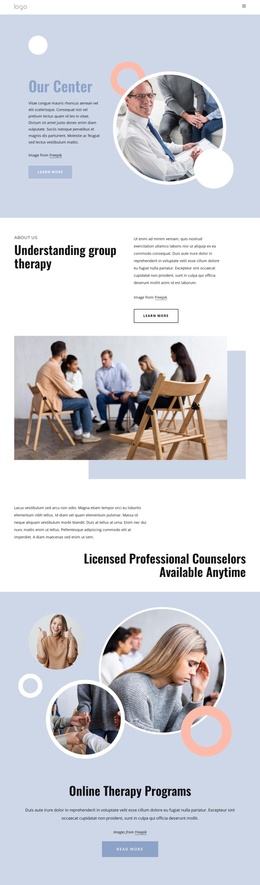
Therapy Services and Contact Regions Suit Structured CMS Content
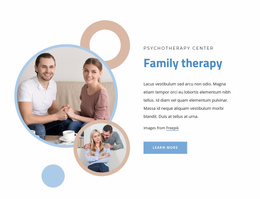
The service cards for individual, couples, and group therapy provide three clearly separated informational regions, each with the same visual role in the page. That repeated structure can support organized counselling content while keeping the service categories distinguishable. The three educational article cards create another recurring content group, covering online therapy benefits, social support and stress, and therapy myths. Their shared presentation makes the page suitable for maintaining related information without flattening everything into one text block.
Navigation, the FAQ accordion, and the contact area give the design a second layer of organization. The FAQ contains three visible questions about therapy suitability, an online questionnaire, and the first appointment, while the final area combines a contact form with phone, location, and business-hours cards. The newsletter subscription form remains separate, reflecting a different communication purpose from direct enquiries. These distinctions help preserve the design’s content hierarchy when sections are adapted for a CMS-managed counselling site.
A Joomla project could therefore use this template as a coordinated visual frame for structured service, educational, and contact information. The verified analysis does not establish Joomla Articles or module positions inside the template, so the useful interpretation is the relationship between its existing content regions and Joomla-managed site organization, not a claim that specific Joomla content objects are already present.
Customize with Nicepage
Open this ready-made template in the Joomla Page Builder and customize it visually in the Nicepage editor. Replace demo content, edit page sections, and adapt the design to your project without rebuilding the template from scratch.
Work With This Template in Joomla
Customize and Install the Joomla Template
Start with this ready-made template instead of building the Joomla design from scratch. Customize its layout, content, typography, images, sections, and other design elements visually in the Nicepage application, then export and install the Joomla Template, Nicepage Extension, and supported content on your Joomla website.
Edit the Template Directly in Joomla
After installation, you can edit the Joomla Template directly in Joomla with the Nicepage Joomla Extension. Customize the Header, Footer, Colors, Fonts, typography, and Page Templates from the Joomla workflow while keeping the site design connected with your CMS content.
Edit Joomla Articles Visually
Use the Nicepage Joomla Extension to open and edit Joomla Articles visually from the Joomla Administrator. Change text, images, sections, layouts, and other page content in the Nicepage editor while continuing to manage the Articles through Joomla.
Joomla Content and Template Integration
Use the customized template together with Joomla Articles, module Positions, menus, forms, Blog Pages, and other supported CMS elements. With the Nicepage Extension used as the Site Style Source, shared design settings can be applied across Joomla Articles while Joomla continues to provide the CMS environment for managing site content.
This workflow combines a ready-made Joomla Template with visual customization, direct template editing in Joomla, and continued content management through the Nicepage Joomla Extension.