Alps hiking tours Joomla Template



A Featured Tour Section for Structured Joomla Content
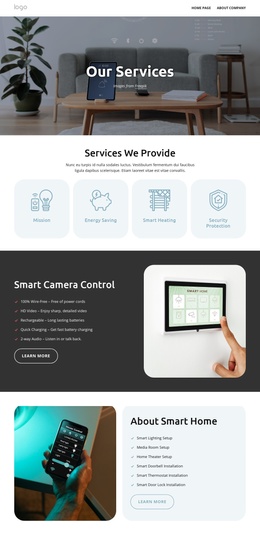
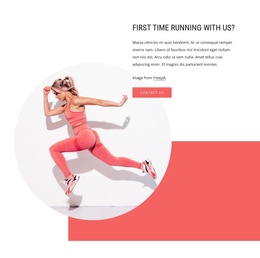
The portrait hiking photograph establishes the subject first, while the warm red-orange rectangle behind it creates a clear visual marker for the Alps Hiking Tours heading that follows. Beneath the heading, one descriptive paragraph connects the offering with peaks, glaciers, meadows, lakes, wildlife, towns, lodging, and cafes. The result is a compact information unit rather than a list of separate tours: one featured experience is introduced, explained, and connected to a Read more link.
Within a Joomla-managed page, this arrangement can serve as a reusable travel content region for structured tour information. The centered image-above-text order keeps the section easy to distinguish from neighboring content areas, while the white background and generous whitespace prevent the many destination references from becoming visually dense. The link can lead visitors toward fuller tour information elsewhere in the surrounding site, leaving this block focused on introduction and context rather than trying to contain every itinerary detail.
The section also suits Joomla content organization because its heading, supporting description, image, and onward link form one coherent editorial unit. Related tour material can be maintained around it while this visual presentation preserves a stable services role. The block therefore works as a focused Joomla page section for presenting one hiking offering within a broader travel project, not as a complete CMS template or standalone site.
Customize with Nicepage
Open this ready-made template in the Joomla Page Builder and customize it visually in the Nicepage editor. Replace demo content, edit page sections, and adapt the design to your project without rebuilding the template from scratch.
Edit Template Offline
2. Create a new page or select existing
3. Click Add new block, search for id 57335 and click enter
Edit Template Online
Create Awesome Websites


Free Nicepage Builder
Keywords
Work With This Template in Joomla
Customize and Install the Joomla Template
Start with this ready-made template instead of building the Joomla design from scratch. Customize its layout, content, typography, images, sections, and other design elements visually in the Nicepage application, then export and install the Joomla Template, Nicepage Extension, and supported content on your Joomla website.
Edit the Template Directly in Joomla
After installation, you can edit the Joomla Template directly in Joomla with the Nicepage Joomla Extension. Customize the Header, Footer, Colors, Fonts, typography, and Page Templates from the Joomla workflow while keeping the site design connected with your CMS content.
Edit Joomla Articles Visually
Use the Nicepage Joomla Extension to open and edit Joomla Articles visually from the Joomla Administrator. Change text, images, sections, layouts, and other page content in the Nicepage editor while continuing to manage the Articles through Joomla.
Joomla Content and Template Integration
Use the customized template together with Joomla Articles, module Positions, menus, forms, Blog Pages, and other supported CMS elements. With the Nicepage Extension used as the Site Style Source, shared design settings can be applied across Joomla Articles while Joomla continues to provide the CMS environment for managing site content.
This workflow combines a ready-made Joomla Template with visual customization, direct template editing in Joomla, and continued content management through the Nicepage Joomla Extension.