Progress in robot technology Joomla Template


Edit Template Offline
2. Create new page and search for id 23330
Edit Template Online
Create Awesome Websites


Free Nicepage Builder
Keywords
Technology Topics Divide the Design Into Manageable Joomla Content Regions
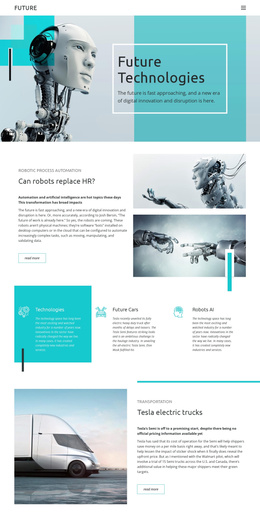
The page’s repeated content areas give a Joomla project a clear way to organize structured information without treating the design as one undifferentiated text canvas. The hero introduces the robotics theme, while the split sections separate the discussion of robots, engineers teaching AI, and robot inventions. Each section has its own image, heading, explanatory area, and Learn more or Read more action, making the subject easy to divide into related editorial regions.
The three-item feature group provides a compact category layer around Concept, Technology, and AI Robots. The turquoise band performs a different organizational role by listing five broader topics: The Internet, Automation, Cryptocurrency, Blockchain, and AI. Navigation and these repeated regions can support a site in which structured technology content is presented consistently while individual wording and imagery evolve over time. The dark future-technology section and shared-looking footer close the information path with a distinct final region.
The page therefore suits a CMS-managed interpretation based on services or topics, recurring informational blocks, navigation, and contact-free editorial content. A Joomla project could use the design’s existing divisions as visual boundaries for managed material rather than adding unrelated modules to the page. The important relationship is between each topic area and its supporting image, text, and action: the visual system keeps separate content regions part of one coherent technology presentation.
Customize with Nicepage
Open this ready-made template in the Joomla Page Builder and customize it visually in the Nicepage editor. Replace demo content, edit page sections, and adapt the design to your project without rebuilding the template from scratch.
Work With This Template in Joomla
Customize and Install the Joomla Template
Start with this ready-made template instead of building the Joomla design from scratch. Customize its layout, content, typography, images, sections, and other design elements visually in the Nicepage application, then export and install the Joomla Template, Nicepage Extension, and supported content on your Joomla website.
Edit the Template Directly in Joomla
After installation, you can edit the Joomla Template directly in Joomla with the Nicepage Joomla Extension. Customize the Header, Footer, Colors, Fonts, typography, and Page Templates from the Joomla workflow while keeping the site design connected with your CMS content.
Edit Joomla Articles Visually
Use the Nicepage Joomla Extension to open and edit Joomla Articles visually from the Joomla Administrator. Change text, images, sections, layouts, and other page content in the Nicepage editor while continuing to manage the Articles through Joomla.
Joomla Content and Template Integration
Use the customized template together with Joomla Articles, module Positions, menus, forms, Blog Pages, and other supported CMS elements. With the Nicepage Extension used as the Site Style Source, shared design settings can be applied across Joomla Articles while Joomla continues to provide the CMS environment for managing site content.
This workflow combines a ready-made Joomla Template with visual customization, direct template editing in Joomla, and continued content management through the Nicepage Joomla Extension.