Nature in art Joomla Template


The Mountain Heading and Quote Form a Structured Content Region
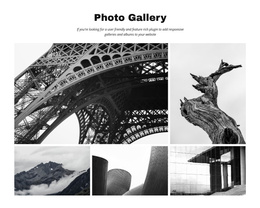
The heading tile and quote tile divide the collage into two readable information points, while the four photographic areas provide the visual context around them. “The mountains are calling” appears in the lower-left portion as the section’s main identifying statement. The light quote tile near the upper-right adds a longer reflective message, giving the image composition an editorial rhythm instead of leaving the photographs to carry the entire meaning. The asymmetrical arrangement keeps these text areas distinct while preserving one connected visual region.
In a Joomla-managed project, this block can serve as a reusable content area for nature-focused inspiration, visual storytelling, or an editorial introduction. The structure is suitable for keeping a heading, quotation, and supporting imagery together as one page section while other Joomla-managed content occupies neighboring regions. The four images can provide the thematic backdrop, but the written tiles remain important because they make the section understandable without relying only on photography. Dark serif typography, pale neutral panels, and muted natural tones create clear separation between message and image. Since the block uses static presentation rather than confirmed controls or expandable elements, its role is primarily to organize a concise story within the wider CMS-managed page.
Customize with Nicepage
Open this ready-made template in the Joomla Page Builder and customize it visually in the Nicepage editor. Replace demo content, edit page sections, and adapt the design to your project without rebuilding the template from scratch.
Edit Template Offline
2. Create a new page or select existing
3. Click Add new block, search for id 56083 and click enter
Edit Template Online
Create Awesome Websites


Free Nicepage Builder
Keywords
Work With This Template in Joomla
Customize and Install the Joomla Template
Start with this ready-made template instead of building the Joomla design from scratch. Customize its layout, content, typography, images, sections, and other design elements visually in the Nicepage application, then export and install the Joomla Template, Nicepage Extension, and supported content on your Joomla website.
Edit the Template Directly in Joomla
After installation, you can edit the Joomla Template directly in Joomla with the Nicepage Joomla Extension. Customize the Header, Footer, Colors, Fonts, typography, and Page Templates from the Joomla workflow while keeping the site design connected with your CMS content.
Edit Joomla Articles Visually
Use the Nicepage Joomla Extension to open and edit Joomla Articles visually from the Joomla Administrator. Change text, images, sections, layouts, and other page content in the Nicepage editor while continuing to manage the Articles through Joomla.
Joomla Content and Template Integration
Use the customized template together with Joomla Articles, module Positions, menus, forms, Blog Pages, and other supported CMS elements. With the Nicepage Extension used as the Site Style Source, shared design settings can be applied across Joomla Articles while Joomla continues to provide the CMS environment for managing site content.
This workflow combines a ready-made Joomla Template with visual customization, direct template editing in Joomla, and continued content management through the Nicepage Joomla Extension.