Esports Gaming Training Joomla Template



Edit Template Offline
2. Create new page and search for id 6684219
Edit Template Online
Create Awesome Websites


Free Nicepage Builder
Keywords
Coaching Programs and Site Regions Create Clear CMS Content Areas
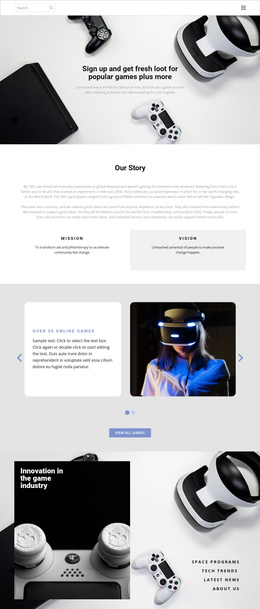
The three numbered training programs divide the academy’s main offer into recurring informational units: one-on-one coaching, advanced game strategies, and competitive tournament training. That separation is useful for a CMS-managed structure because each service area has a clear subject and can remain visually related to the same academy presentation. The adjacent row of Valorant, Fortnite, and Rocket League cards adds another organized content region for game categories without confusing those categories with the coaching programs themselves.
The About Us section provides a broader institutional explanation, while the testimonials block gathers three player entries beside a VR gaming image. These areas can be understood as different types of site content: academy positioning, player feedback, and program information. The closing section then concentrates the response around “Book Free Coaching,” and the footer keeps organization summary, working hours, office information, and copyright material in a shared closing region.
For a Joomla project, this content division gives menus and CMS-managed sections a concrete visual context. The design does not prove that Joomla Articles, categories, or module positions already exist, and it should not be presented as an installed Joomla site. Instead, its value is the way service information, game categories, testimonials, navigation-oriented page regions, and contact content are already separated into coordinated blocks that can be adapted to a Joomla-managed website.
Customize with Nicepage
Open this ready-made template in the Joomla Page Builder and customize it visually in the Nicepage editor. Replace demo content, edit page sections, and adapt the design to your project without rebuilding the template from scratch.
Work With This Template in Joomla
Customize and Install the Joomla Template
Start with this ready-made template instead of building the Joomla design from scratch. Customize its layout, content, typography, images, sections, and other design elements visually in the Nicepage application, then export and install the Joomla Template, Nicepage Extension, and supported content on your Joomla website.
Edit the Template Directly in Joomla
After installation, you can edit the Joomla Template directly in Joomla with the Nicepage Joomla Extension. Customize the Header, Footer, Colors, Fonts, typography, and Page Templates from the Joomla workflow while keeping the site design connected with your CMS content.
Edit Joomla Articles Visually
Use the Nicepage Joomla Extension to open and edit Joomla Articles visually from the Joomla Administrator. Change text, images, sections, layouts, and other page content in the Nicepage editor while continuing to manage the Articles through Joomla.
Joomla Content and Template Integration
Use the customized template together with Joomla Articles, module Positions, menus, forms, Blog Pages, and other supported CMS elements. With the Nicepage Extension used as the Site Style Source, shared design settings can be applied across Joomla Articles while Joomla continues to provide the CMS environment for managing site content.
This workflow combines a ready-made Joomla Template with visual customization, direct template editing in Joomla, and continued content management through the Nicepage Joomla Extension.