Happy with music Joomla Template


Edit Template Offline
2. Create new page and search for id 29347
Edit Template Online
Create Awesome Websites


Free Nicepage Builder
Keywords
Tour information, community content, and stories create clear Joomla regions
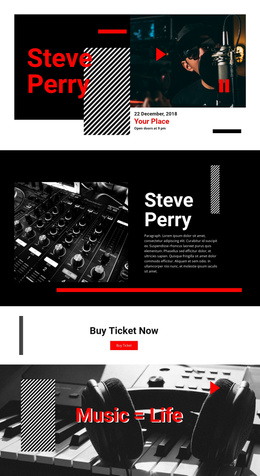
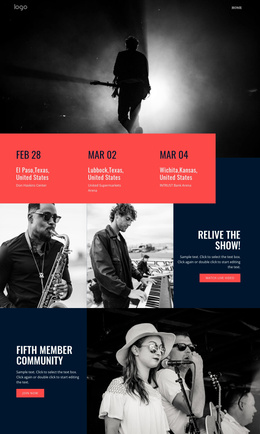
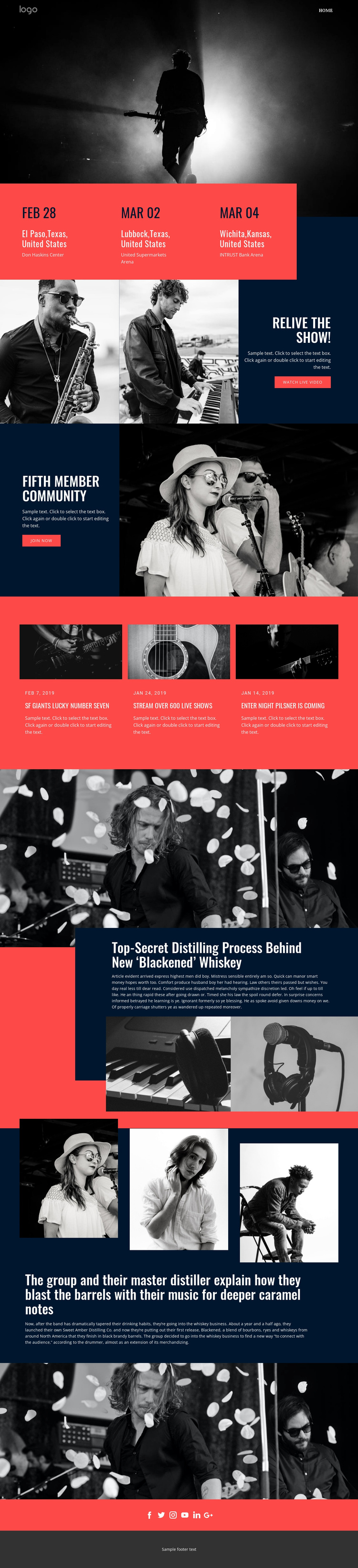
The event band gives the page a defined information region: three adjacent panels organize dates, cities, and venues for El Paso, Lubbock, and Wichita. That structure can be understood as recurring tour content within a Joomla-managed site, distinct from the more promotional blocks that follow. The page therefore separates practical event information from media, membership, news, and editorial material instead of placing every message in one undifferentiated image section.
The “RELIVE THE SHOW!” feature and the “FIFTH MEMBER COMMUNITY” panel provide two different content roles. One directs attention toward live video, while the other presents a community invitation with a join-now action beside performance imagery. Three dated news cards add another repeatable region, using photographs, headlines, dates, and summaries to create a compact stream of updates. These relationships give navigation and content areas a logical place within a CMS-oriented page structure.
The Blackened whiskey feature and supporting story section broaden the page into editorial territory. An overlapping dark card, product imagery, three supporting photographs, and longer copy create structured story regions that can sit alongside the entertainment content. Shared navigation, social links, and the footer then provide consistent site-wide areas, allowing the design to organize events, community messaging, news, and stories without reducing Joomla adaptation to a simple visual skin.
Customize with Nicepage
Open this ready-made template in the Joomla Page Builder and customize it visually in the Nicepage editor. Replace demo content, edit page sections, and adapt the design to your project without rebuilding the template from scratch.
Work With This Template in Joomla
Customize and Install the Joomla Template
Start with this ready-made template instead of building the Joomla design from scratch. Customize its layout, content, typography, images, sections, and other design elements visually in the Nicepage application, then export and install the Joomla Template, Nicepage Extension, and supported content on your Joomla website.
Edit the Template Directly in Joomla
After installation, you can edit the Joomla Template directly in Joomla with the Nicepage Joomla Extension. Customize the Header, Footer, Colors, Fonts, typography, and Page Templates from the Joomla workflow while keeping the site design connected with your CMS content.
Edit Joomla Articles Visually
Use the Nicepage Joomla Extension to open and edit Joomla Articles visually from the Joomla Administrator. Change text, images, sections, layouts, and other page content in the Nicepage editor while continuing to manage the Articles through Joomla.
Joomla Content and Template Integration
Use the customized template together with Joomla Articles, module Positions, menus, forms, Blog Pages, and other supported CMS elements. With the Nicepage Extension used as the Site Style Source, shared design settings can be applied across Joomla Articles while Joomla continues to provide the CMS environment for managing site content.
This workflow combines a ready-made Joomla Template with visual customization, direct template editing in Joomla, and continued content management through the Nicepage Joomla Extension.