Skills you will learn Joomla Template


Parallel Skill Cards Create a Structured Joomla Content Area
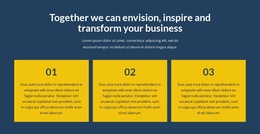
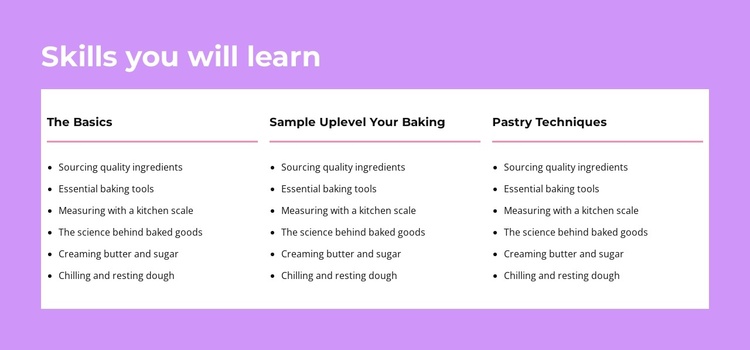
The three-card arrangement gives this block a clear content model for a Joomla-managed learning section. One centered heading introduces the subject, then three parallel panels divide the curriculum into related categories. Each panel follows the same internal pattern: a category heading, a horizontal divider, and six bullet items. The visible “The Basics” and “Pastry Techniques” labels make the grouping readable, while the repeated structure leaves room for the remaining category to complete the skill overview.
The list topics provide concrete editorial units rather than a single undifferentiated paragraph. Ingredient sourcing, essential baking tools, kitchen-scale measurement, the science behind baked goods, creaming butter and sugar, and chilling or resting dough can each remain a concise piece of instructional information within the broader section. In a Joomla context, that organization suits a reusable content region on a course or educational page, while the wider site can manage related articles and other editorial material separately.
The visual treatment reinforces the information architecture. White cards stand apart from the lavender-purple section background, dark headings identify the category level, and black left-aligned bullets support quick reading. Pink dividers separate labels from their lists without introducing extra interaction. This makes the block useful when a Joomla page needs a stable skills overview that can sit alongside richer lesson content, instructor information, or course details while retaining its own focused visual identity.
Customize with Nicepage
Open this ready-made template in the Joomla Page Builder and customize it visually in the Nicepage editor. Replace demo content, edit page sections, and adapt the design to your project without rebuilding the template from scratch.
Edit Template Offline
2. Create a new page or select existing
3. Click Add new block, search for id 5212938 and click enter
Edit Template Online
Create Awesome Websites


Free Nicepage Builder
Keywords
Work With This Template in Joomla
Customize and Install the Joomla Template
Start with this ready-made template instead of building the Joomla design from scratch. Customize its layout, content, typography, images, sections, and other design elements visually in the Nicepage application, then export and install the Joomla Template, Nicepage Extension, and supported content on your Joomla website.
Edit the Template Directly in Joomla
After installation, you can edit the Joomla Template directly in Joomla with the Nicepage Joomla Extension. Customize the Header, Footer, Colors, Fonts, typography, and Page Templates from the Joomla workflow while keeping the site design connected with your CMS content.
Edit Joomla Articles Visually
Use the Nicepage Joomla Extension to open and edit Joomla Articles visually from the Joomla Administrator. Change text, images, sections, layouts, and other page content in the Nicepage editor while continuing to manage the Articles through Joomla.
Joomla Content and Template Integration
Use the customized template together with Joomla Articles, module Positions, menus, forms, Blog Pages, and other supported CMS elements. With the Nicepage Extension used as the Site Style Source, shared design settings can be applied across Joomla Articles while Joomla continues to provide the CMS environment for managing site content.
This workflow combines a ready-made Joomla Template with visual customization, direct template editing in Joomla, and continued content management through the Nicepage Joomla Extension.