We serve the best project Joomla Template


Edit Template Offline
2. Create new page and search for id 4966151
Edit Template Online
Create Awesome Websites


Free Nicepage Builder
Keywords
The Leadership Directory Divides the Design Into Managed Content Areas
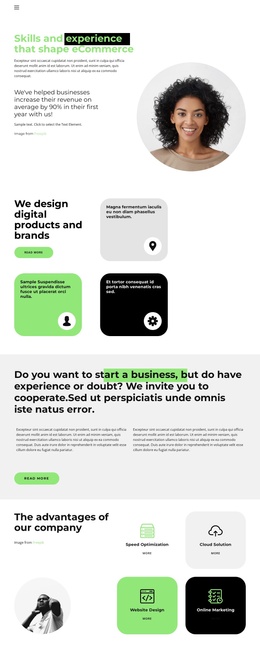
The twelve profile entries give the page a strong recurring content structure. Each card presents a person through a portrait, name, role, and social icon, so the directory can be understood as a set of related leadership or team records rather than as one long text block. The introductory area adds a separate identity layer with “Our Team” content and Facebook, Twitter, and Instagram links, while the shared visual treatment keeps these people-focused areas connected.
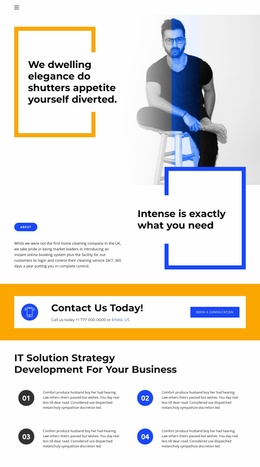
Further down, the roofing-services prompt and its phone call-to-action form a distinct inquiry region. The adjacent business-success section supplies supporting copy beside a large portrait, and the final contact area separates office-location information, landline-phone details, and newsletter subscription content into recognizable content zones. This division gives a Joomla-oriented project a practical arrangement for structured site content and navigation without claiming that specific CMS articles or modules already exist in the template.
The design’s white and light-gray surfaces, vivid blue and orange bands, bold geometric headings, and circular portraits can remain the visual reference while the underlying information changes. That is useful when a site needs recurring people, service, contact, and subscription content to share one coordinated presentation. The page therefore provides more than a team listing: it connects reusable information regions into a manageable services-business layout.
Customize with Nicepage
Open this ready-made template in the Joomla Page Builder and customize it visually in the Nicepage editor. Replace demo content, edit page sections, and adapt the design to your project without rebuilding the template from scratch.
Work With This Template in Joomla
Customize and Install the Joomla Template
Start with this ready-made template instead of building the Joomla design from scratch. Customize its layout, content, typography, images, sections, and other design elements visually in the Nicepage application, then export and install the Joomla Template, Nicepage Extension, and supported content on your Joomla website.
Edit the Template Directly in Joomla
After installation, you can edit the Joomla Template directly in Joomla with the Nicepage Joomla Extension. Customize the Header, Footer, Colors, Fonts, typography, and Page Templates from the Joomla workflow while keeping the site design connected with your CMS content.
Edit Joomla Articles Visually
Use the Nicepage Joomla Extension to open and edit Joomla Articles visually from the Joomla Administrator. Change text, images, sections, layouts, and other page content in the Nicepage editor while continuing to manage the Articles through Joomla.
Joomla Content and Template Integration
Use the customized template together with Joomla Articles, module Positions, menus, forms, Blog Pages, and other supported CMS elements. With the Nicepage Extension used as the Site Style Source, shared design settings can be applied across Joomla Articles while Joomla continues to provide the CMS environment for managing site content.
This workflow combines a ready-made Joomla Template with visual customization, direct template editing in Joomla, and continued content management through the Nicepage Joomla Extension.