Improve Your Business Joomla Template



Two Labeled Panels Organize Company Information for a Joomla-Managed Section
The block separates company information into a short introductory group and a repeated two-panel content group. At the top, the heading “One of the fastest way to gain business success” frames the subject, while the supporting paragraph occupies the neighboring column. This relationship gives the section an internal hierarchy that can remain recognizable when the surrounding page is managed through Joomla.
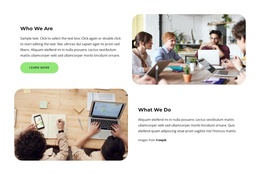
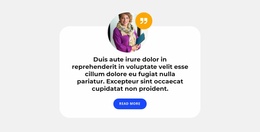
The lower panels provide two distinct content roles. “About Our Company” points toward organizational background, and “Our Mission” establishes a separate space for purpose-driven information. Their shared image-and-text pattern makes the pair feel related, but the different labels allow each panel to carry its own message. Rounded photographs provide the visual base, and overlapping blue and orange text cards place the descriptions in clearly bounded areas. White text against the saturated panels maintains contrast with the white background.
In a Joomla-managed project, this block can serve as a reusable company-information region within a broader page or article-oriented layout. The two read-more links create natural continuation points for fuller content maintained elsewhere in the site, without making the section itself a complete page. The structure also leaves room for neighboring content to handle services, case studies, contact details, or other business information. Its value comes from organizing background and mission content into two visually consistent but semantically different panels.
Customize with Nicepage
Open this ready-made template in the Joomla Page Builder and customize it visually in the Nicepage editor. Replace demo content, edit page sections, and adapt the design to your project without rebuilding the template from scratch.
Edit Template Offline
2. Create a new page or select existing
3. Click Add new block, search for id 4974386 and click enter
Edit Template Online
Create Awesome Websites


Free Nicepage Builder
Keywords
Work With This Template in Joomla
Customize and Install the Joomla Template
Start with this ready-made template instead of building the Joomla design from scratch. Customize its layout, content, typography, images, sections, and other design elements visually in the Nicepage application, then export and install the Joomla Template, Nicepage Extension, and supported content on your Joomla website.
Edit the Template Directly in Joomla
After installation, you can edit the Joomla Template directly in Joomla with the Nicepage Joomla Extension. Customize the Header, Footer, Colors, Fonts, typography, and Page Templates from the Joomla workflow while keeping the site design connected with your CMS content.
Edit Joomla Articles Visually
Use the Nicepage Joomla Extension to open and edit Joomla Articles visually from the Joomla Administrator. Change text, images, sections, layouts, and other page content in the Nicepage editor while continuing to manage the Articles through Joomla.
Joomla Content and Template Integration
Use the customized template together with Joomla Articles, module Positions, menus, forms, Blog Pages, and other supported CMS elements. With the Nicepage Extension used as the Site Style Source, shared design settings can be applied across Joomla Articles while Joomla continues to provide the CMS environment for managing site content.
This workflow combines a ready-made Joomla Template with visual customization, direct template editing in Joomla, and continued content management through the Nicepage Joomla Extension.