New approach Joomla Template



Edit Template Offline
2. Create new page and search for id 3124348
Edit Template Online
Create Awesome Websites


Free Nicepage Builder
Keywords
Service Cards and Contact Regions for a Joomla Site
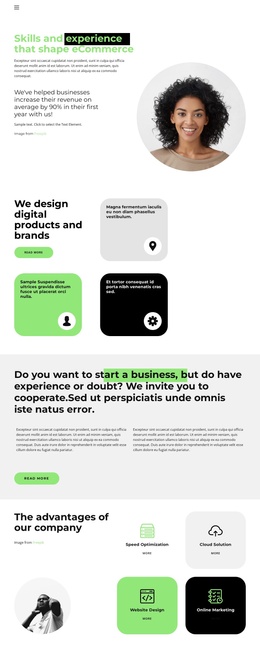
The four named capabilities—Speed Optimization, Cloud Solution, Website Design, and Online Marketing—divide the agency offer into clear informational areas. Their rounded cards can be understood as structured service content, while the earlier digital product and brand design section introduces the broader subject of the business. This relationship gives the page a useful content progression: visitors first encounter the agency’s direction, then see defined capabilities before reaching team, company, pricing, and contact information.
The five-profile team area adds a people-focused content region, and the founder branding section provides a separate identity statement supported by portrait imagery and descriptive text. Together, these sections can support a Joomla site in which service information, company background, team details, and contact content are maintained as distinct parts of the same visual system. The dedicated strip of seven monochrome logo marks adds another repeatable showcase area without changing the page’s editorial tone.
The two monthly pricing cards provide a further structured content group, with plan-selection actions connecting the commercial offer to the contact section. Joomla navigation can therefore organize access to services, team, pricing, and contacts while preserving the template’s shared header, rounded cards, green identity panel, and dark footer treatment. The result is a coherent CMS-oriented foundation for agency information rather than a collection of disconnected promotional blocks.
Customize with Nicepage
Open this ready-made template in the Joomla Page Builder and customize it visually in the Nicepage editor. Replace demo content, edit page sections, and adapt the design to your project without rebuilding the template from scratch.
Work With This Template in Joomla
Customize and Install the Joomla Template
Start with this ready-made template instead of building the Joomla design from scratch. Customize its layout, content, typography, images, sections, and other design elements visually in the Nicepage application, then export and install the Joomla Template, Nicepage Extension, and supported content on your Joomla website.
Edit the Template Directly in Joomla
After installation, you can edit the Joomla Template directly in Joomla with the Nicepage Joomla Extension. Customize the Header, Footer, Colors, Fonts, typography, and Page Templates from the Joomla workflow while keeping the site design connected with your CMS content.
Edit Joomla Articles Visually
Use the Nicepage Joomla Extension to open and edit Joomla Articles visually from the Joomla Administrator. Change text, images, sections, layouts, and other page content in the Nicepage editor while continuing to manage the Articles through Joomla.
Joomla Content and Template Integration
Use the customized template together with Joomla Articles, module Positions, menus, forms, Blog Pages, and other supported CMS elements. With the Nicepage Extension used as the Site Style Source, shared design settings can be applied across Joomla Articles while Joomla continues to provide the CMS environment for managing site content.
This workflow combines a ready-made Joomla Template with visual customization, direct template editing in Joomla, and continued content management through the Nicepage Joomla Extension.