Solutions improve productivity Joomla Template



Edit Template Offline
2. Create new page and search for id 283136
Edit Template Online
Create Awesome Websites


Free Nicepage Builder
Keywords
Service Categories and Contact Regions Suit Structured CMS Content
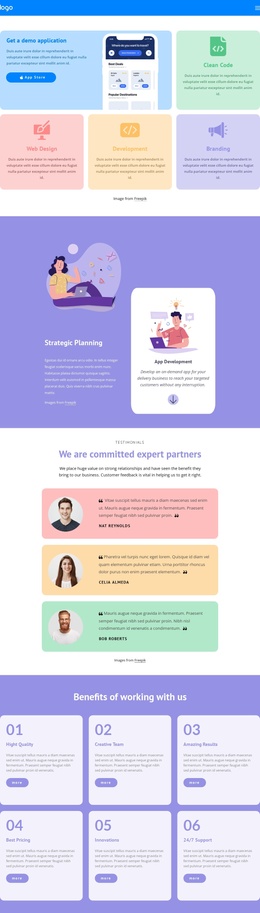
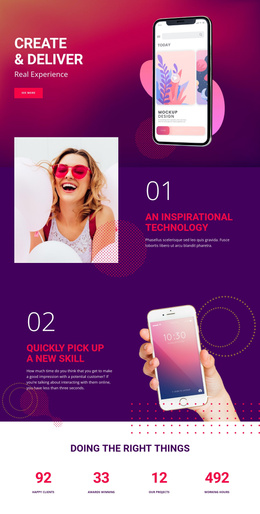
The page divides its technology message into content areas that can be understood and maintained as structured site information. The opening Web Software Developers section introduces the main subject, while Key Features separates Development, Top Skills, Design, and Responsive into four recurring items. Later, the capability tiles identify Development, 5G Network, AI Products, and Automation as another grouped set. These repeated categories provide a clearer content model than a single undifferentiated technology statement.
Data Visualization adds a process-oriented region with the numbered items “01. goals” and “02. strategy.” The IT solutions sections and Web Analytics card then provide additional informational areas, each with its own heading, illustration, supporting text, and action link. This arrangement gives menus or other site-level navigation a meaningful set of destinations even though the supplied analysis verifies one page rather than a multi-page Joomla site.
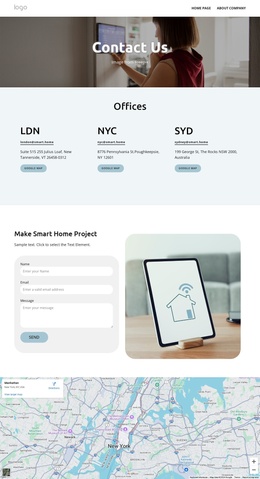
The closing contact region is especially structured: address, email, and telephone channels appear in three separate cards beneath “Get in Touch!” That separation makes the contact information easy to interpret as distinct content fields while retaining the visual relationship between them. The shared dark purple and white treatment across these areas supports a coordinated CMS presentation. The design therefore offers a useful Joomla-oriented foundation for organizing technology information, recurring categories, and contact content without claiming that specific Joomla Articles or module positions already exist.
Customize with Nicepage
Open this ready-made template in the Joomla Page Builder and customize it visually in the Nicepage editor. Replace demo content, edit page sections, and adapt the design to your project without rebuilding the template from scratch.
Work With This Template in Joomla
Customize and Install the Joomla Template
Start with this ready-made template instead of building the Joomla design from scratch. Customize its layout, content, typography, images, sections, and other design elements visually in the Nicepage application, then export and install the Joomla Template, Nicepage Extension, and supported content on your Joomla website.
Edit the Template Directly in Joomla
After installation, you can edit the Joomla Template directly in Joomla with the Nicepage Joomla Extension. Customize the Header, Footer, Colors, Fonts, typography, and Page Templates from the Joomla workflow while keeping the site design connected with your CMS content.
Edit Joomla Articles Visually
Use the Nicepage Joomla Extension to open and edit Joomla Articles visually from the Joomla Administrator. Change text, images, sections, layouts, and other page content in the Nicepage editor while continuing to manage the Articles through Joomla.
Joomla Content and Template Integration
Use the customized template together with Joomla Articles, module Positions, menus, forms, Blog Pages, and other supported CMS elements. With the Nicepage Extension used as the Site Style Source, shared design settings can be applied across Joomla Articles while Joomla continues to provide the CMS environment for managing site content.
This workflow combines a ready-made Joomla Template with visual customization, direct template editing in Joomla, and continued content management through the Nicepage Joomla Extension.