From the team Joomla Template


Profile Content Forms a Structured Joomla Page Region
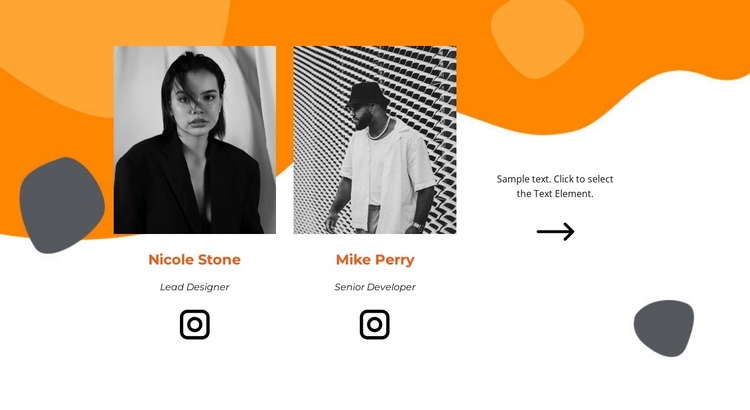
The two portrait profiles divide the section into clear informational units: each one presents an image, a name, a role label, and an Instagram destination. The labels Lead Designer and Senior Developer give the repeated items distinct responsibilities, while the shared grayscale treatment keeps them visually related. In a Joomla-managed page, this arrangement can function as a stable team-information region alongside other structured content areas, without needing to become a standalone CMS template.
The third column adds a different kind of content unit. Instead of repeating the profile pattern, it combines a short text prompt with a large right-pointing arrow, creating a visual handoff after the two people. That relationship can help connect the team section with nearby creative-services information, project content, or a contact area maintained elsewhere in the surrounding site. The Instagram links remain attached to the individual profiles, keeping social destinations associated with the relevant team items.
Orange abstract shapes behind the upper profiles establish a recognizable visual field, while the white background of the final cell creates separation within the row. In a Joomla project, the block can preserve this distinction between repeated staff information and a directional prompt as one reusable page section. Broader article, menu, and site content can remain outside the block while this region focuses on introducing the team.
Customize with Nicepage
Open this ready-made template in the Joomla Page Builder and customize it visually in the Nicepage editor. Replace demo content, edit page sections, and adapt the design to your project without rebuilding the template from scratch.
Edit Template Offline
2. Create a new page or select existing
3. Click Add new block, search for id 2772041 and click enter
Edit Template Online
Create Awesome Websites


Free Nicepage Builder
Keywords
Work With This Template in Joomla
Customize and Install the Joomla Template
Start with this ready-made template instead of building the Joomla design from scratch. Customize its layout, content, typography, images, sections, and other design elements visually in the Nicepage application, then export and install the Joomla Template, Nicepage Extension, and supported content on your Joomla website.
Edit the Template Directly in Joomla
After installation, you can edit the Joomla Template directly in Joomla with the Nicepage Joomla Extension. Customize the Header, Footer, Colors, Fonts, typography, and Page Templates from the Joomla workflow while keeping the site design connected with your CMS content.
Edit Joomla Articles Visually
Use the Nicepage Joomla Extension to open and edit Joomla Articles visually from the Joomla Administrator. Change text, images, sections, layouts, and other page content in the Nicepage editor while continuing to manage the Articles through Joomla.
Joomla Content and Template Integration
Use the customized template together with Joomla Articles, module Positions, menus, forms, Blog Pages, and other supported CMS elements. With the Nicepage Extension used as the Site Style Source, shared design settings can be applied across Joomla Articles while Joomla continues to provide the CMS environment for managing site content.
This workflow combines a ready-made Joomla Template with visual customization, direct template editing in Joomla, and continued content management through the Nicepage Joomla Extension.