Cut and shave pricing Joomla Template


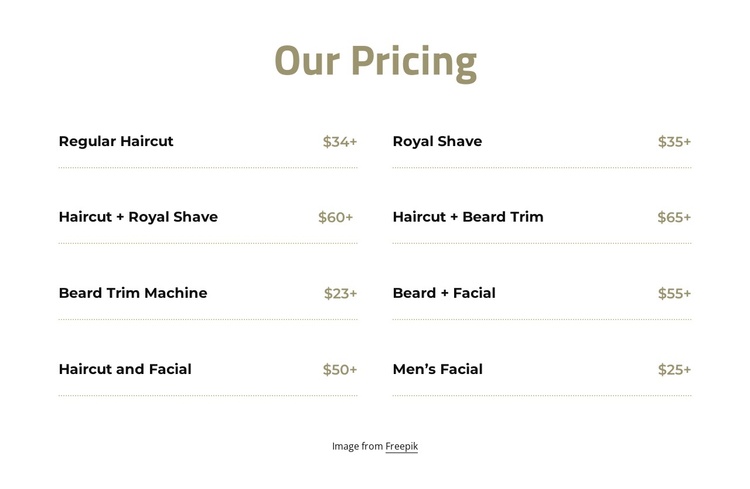
Eight service rows create a structured Joomla content region
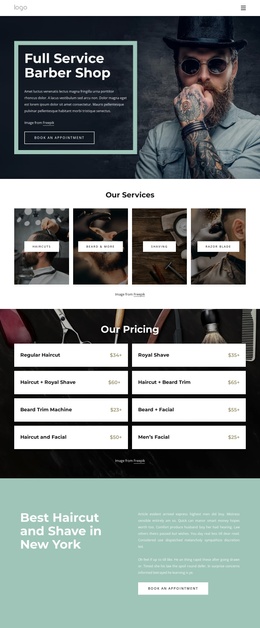
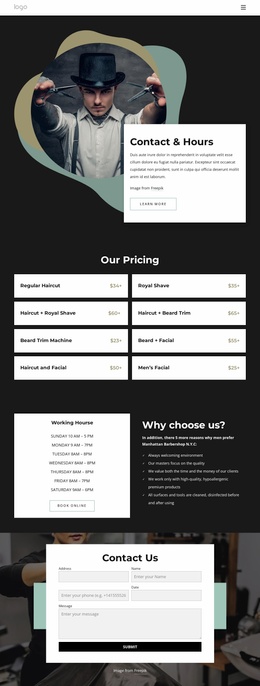
The “Our Pricing” heading establishes one clear information area, followed by eight repeated service rows. Each row connects a grooming service name with a starting price, so the relationship between the offering and its cost remains easy to scan. The list covers Regular Haircut, Royal Shave, combined haircut and shave or beard services, beard treatments, and facials. Because every displayed amount uses a plus sign, the pricing language presents entry points rather than fixed totals.
The two-column arrangement keeps the service list compact while preserving the repeated row pattern. Thin horizontal separators give each entry a defined boundary, and the white background leaves enough open space around the content to prevent the pricing information from feeling crowded. Black labels and muted-gold prices create a restrained contrast, while the centered muted-gold heading gives the section a clear visual starting point.
In a Joomla-managed project, this block can function as a stable service-pricing region within a broader page. Its structured rows are suited to an informational grooming section, while surrounding content can provide service details, booking information, location context, or contact actions. The block supplies the visual organization for the price list; the wider Joomla site can manage the surrounding pages and editorial content separately.
Customize with Nicepage
Open this ready-made template in the Joomla Page Builder and customize it visually in the Nicepage editor. Replace demo content, edit page sections, and adapt the design to your project without rebuilding the template from scratch.
Edit Template Offline
2. Create a new page or select existing
3. Click Add new block, search for id 2440023 and click enter
Edit Template Online
Create Awesome Websites


Free Nicepage Builder
Keywords
Work With This Template in Joomla
Customize and Install the Joomla Template
Start with this ready-made template instead of building the Joomla design from scratch. Customize its layout, content, typography, images, sections, and other design elements visually in the Nicepage application, then export and install the Joomla Template, Nicepage Extension, and supported content on your Joomla website.
Edit the Template Directly in Joomla
After installation, you can edit the Joomla Template directly in Joomla with the Nicepage Joomla Extension. Customize the Header, Footer, Colors, Fonts, typography, and Page Templates from the Joomla workflow while keeping the site design connected with your CMS content.
Edit Joomla Articles Visually
Use the Nicepage Joomla Extension to open and edit Joomla Articles visually from the Joomla Administrator. Change text, images, sections, layouts, and other page content in the Nicepage editor while continuing to manage the Articles through Joomla.
Joomla Content and Template Integration
Use the customized template together with Joomla Articles, module Positions, menus, forms, Blog Pages, and other supported CMS elements. With the Nicepage Extension used as the Site Style Source, shared design settings can be applied across Joomla Articles while Joomla continues to provide the CMS environment for managing site content.
This workflow combines a ready-made Joomla Template with visual customization, direct template editing in Joomla, and continued content management through the Nicepage Joomla Extension.