Man trucks for transportation Joomla Template


Edit Template Offline
2. Create new page and search for id 18077
Edit Template Online
Create Awesome Websites


Free Nicepage Builder
Keywords
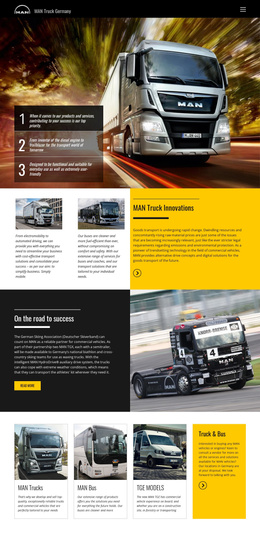
Structured Vehicle Regions Support a CMS-Managed Transport Site
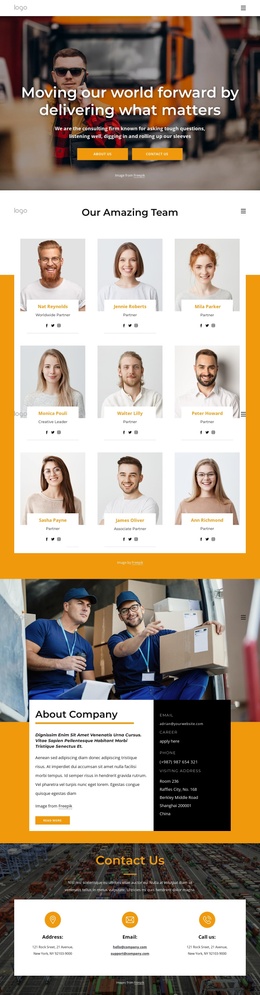
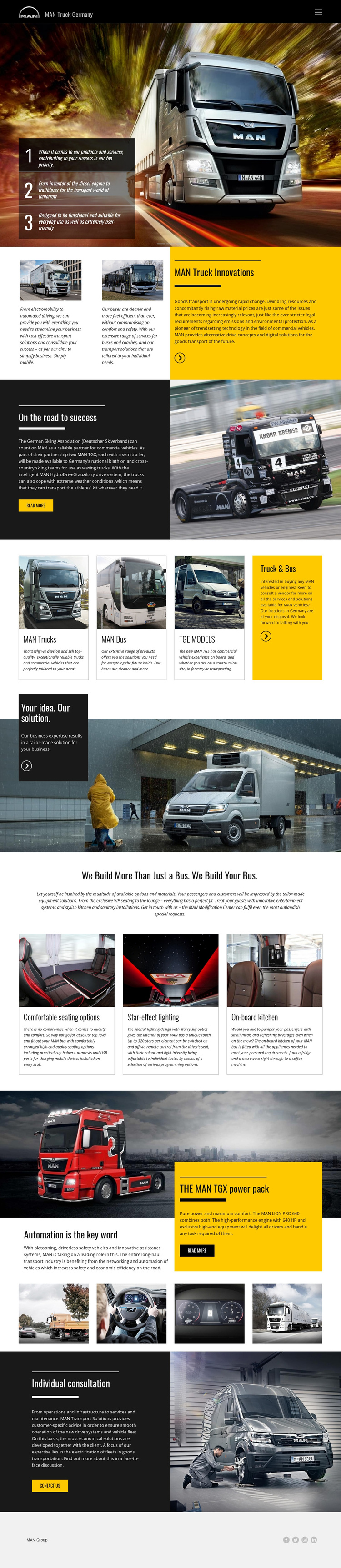
The design divides its subject matter into useful editorial regions. The opening slider can introduce MAN Truck Germany with rotating promotional messages, while the innovation block groups electromobility, automated driving, and bus transport solutions beside supporting imagery. The partnership story provides a separate narrative area around the German Skiing Association reference and MAN HydroDrive content. These distinct regions make it easier to organize substantial transport information without mixing product explanation, brand story, and consultation messaging into one continuous text panel.
The product cards create a second layer of structured content: MAN Trucks, MAN Bus, TGE Models, and Truck & Bus are presented as related but separate categories. Below them, the tailored-solution panel, bus customization features, and TGX technology section provide additional regions for specific offerings and technical subjects. The final individual consultation area gives the site a natural place for customer-specific transport advice and fleet electrification discussions, while the MAN Group footer provides a shared closing region with social links. In a Joomla project, these relationships can guide CMS-managed navigation and content organization. The page’s sections should be treated as the verified design foundation; the analysis does not prove that Joomla Articles, modules, or positions already exist in the template.
Customize with Nicepage
Open this ready-made template in the Joomla Page Builder and customize it visually in the Nicepage editor. Replace demo content, edit page sections, and adapt the design to your project without rebuilding the template from scratch.
Work With This Template in Joomla
Customize and Install the Joomla Template
Start with this ready-made template instead of building the Joomla design from scratch. Customize its layout, content, typography, images, sections, and other design elements visually in the Nicepage application, then export and install the Joomla Template, Nicepage Extension, and supported content on your Joomla website.
Edit the Template Directly in Joomla
After installation, you can edit the Joomla Template directly in Joomla with the Nicepage Joomla Extension. Customize the Header, Footer, Colors, Fonts, typography, and Page Templates from the Joomla workflow while keeping the site design connected with your CMS content.
Edit Joomla Articles Visually
Use the Nicepage Joomla Extension to open and edit Joomla Articles visually from the Joomla Administrator. Change text, images, sections, layouts, and other page content in the Nicepage editor while continuing to manage the Articles through Joomla.
Joomla Content and Template Integration
Use the customized template together with Joomla Articles, module Positions, menus, forms, Blog Pages, and other supported CMS elements. With the Nicepage Extension used as the Site Style Source, shared design settings can be applied across Joomla Articles while Joomla continues to provide the CMS environment for managing site content.
This workflow combines a ready-made Joomla Template with visual customization, direct template editing in Joomla, and continued content management through the Nicepage Joomla Extension.