Reebok Joomla Template


Edit Template Offline
2. Create new page and search for id 18116
Edit Template Online
Create Awesome Websites


Free Nicepage Builder
Keywords
Product Categories and Editorial Stories Form Structured Content Regions
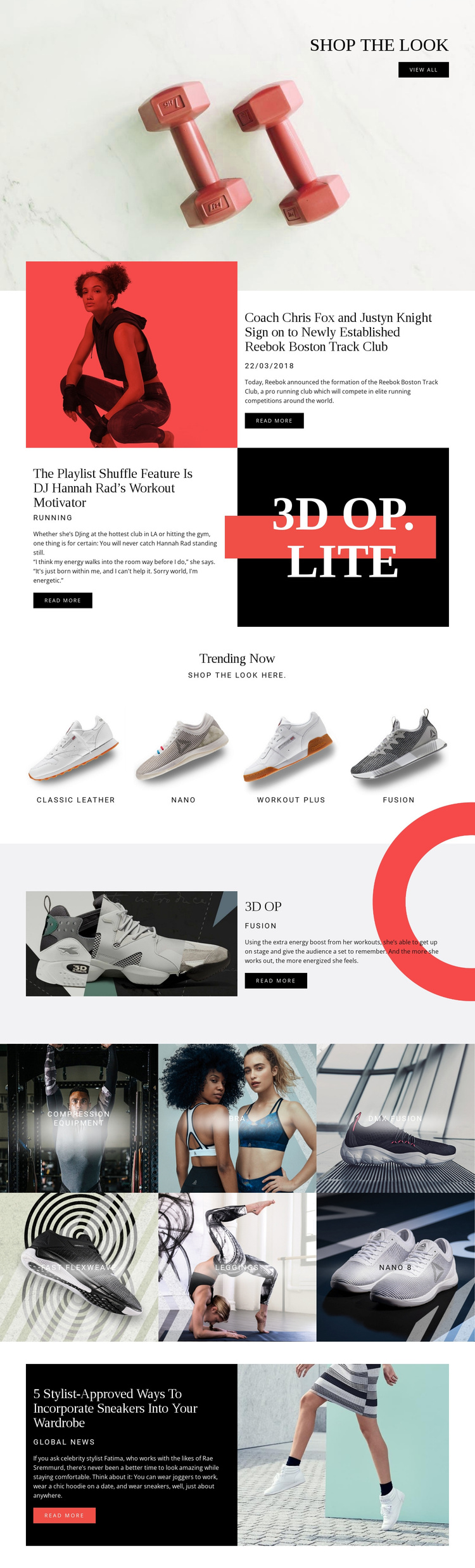
The page separates its information into regions that can be interpreted as managed sportswear content rather than as one uninterrupted promotional image. The opening shop the look area introduces product browsing, while the Reebok Boston Track Club, Playlist Shuffle, and sneaker-wardrobe sections provide article-like editorial subjects with summaries and read more actions. Their repeated image-and-text pattern gives each story a recognizable content role without requiring the page to lose its visual identity.
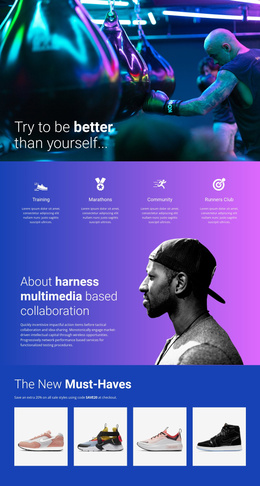
The product areas create a second structure. Trending Now contains four labeled items—Classic Leather, nano, workout plus, and fusion—while the following gallery adds six category tiles for compression equipment, bra, dmx fusion, fast flexweave, leggings, and nano 8. The 3D OP section sits between these repeated collections as a more prominent product-information region. Together, these areas suggest a useful division between recurring catalog content, featured product content, and editorial material.
For a Joomla-oriented project, that division can support a site in which navigation and content regions are maintained through a CMS while the shared black, white, and red presentation remains coordinated. The page does not prove that Joomla Articles or module positions already exist; it provides a concrete content arrangement that can be adapted to structured site management.
Customize with Nicepage
Open this ready-made template in the Joomla Page Builder and customize it visually in the Nicepage editor. Replace demo content, edit page sections, and adapt the design to your project without rebuilding the template from scratch.
Work With This Template in Joomla
Customize and Install the Joomla Template
Start with this ready-made template instead of building the Joomla design from scratch. Customize its layout, content, typography, images, sections, and other design elements visually in the Nicepage application, then export and install the Joomla Template, Nicepage Extension, and supported content on your Joomla website.
Edit the Template Directly in Joomla
After installation, you can edit the Joomla Template directly in Joomla with the Nicepage Joomla Extension. Customize the Header, Footer, Colors, Fonts, typography, and Page Templates from the Joomla workflow while keeping the site design connected with your CMS content.
Edit Joomla Articles Visually
Use the Nicepage Joomla Extension to open and edit Joomla Articles visually from the Joomla Administrator. Change text, images, sections, layouts, and other page content in the Nicepage editor while continuing to manage the Articles through Joomla.
Joomla Content and Template Integration
Use the customized template together with Joomla Articles, module Positions, menus, forms, Blog Pages, and other supported CMS elements. With the Nicepage Extension used as the Site Style Source, shared design settings can be applied across Joomla Articles while Joomla continues to provide the CMS environment for managing site content.
This workflow combines a ready-made Joomla Template with visual customization, direct template editing in Joomla, and continued content management through the Nicepage Joomla Extension.