Hard roads of industiral Joomla Template


Edit Template Offline
2. Create new page and search for id 17580
Edit Template Online
Create Awesome Websites


Free Nicepage Builder
Keywords
Service Regions and Office Blocks Create Structured Joomla Content Areas
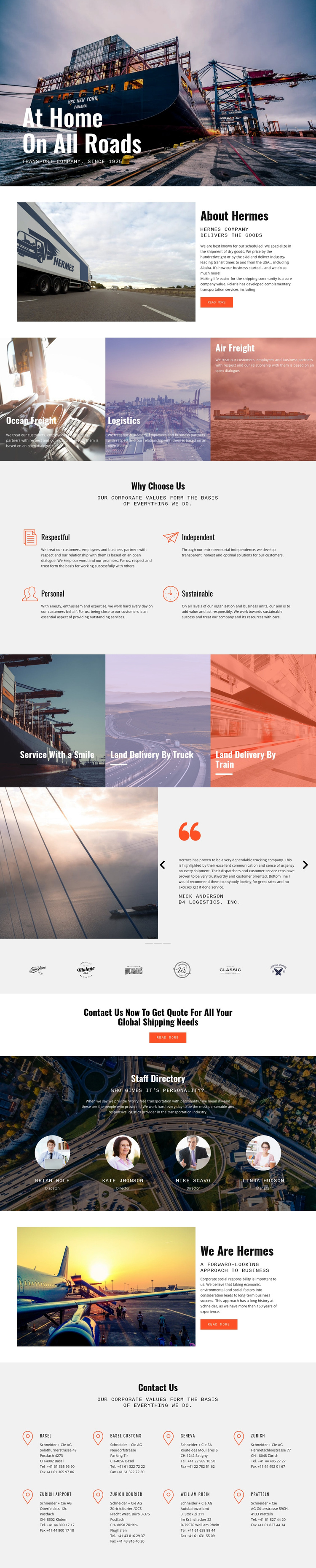
The service section divides the company offering into three recognizable content areas: Ocean Freight, Logistics, and Air Freight. A separate visual group for Land Delivery By Truck and Land Delivery By Train adds more specific delivery content without disturbing the main service grouping. For a Joomla-managed project, this separation gives recurring informational material a clear relationship to navigation and other shared site regions, while the About Hermes sections can carry broader company descriptions.
The four values under “Why Choose Us” provide another structured group, distinct from the three testimonial entries and the four staff profiles. These repeated units are useful because they represent different kinds of content: operating principles, customer evidence, and people. The page also includes a quote-oriented callout and a final contact area, allowing service information to lead naturally toward company contact rather than ending with the gallery-like imagery alone.
The closing office blocks list locations such as Basel, Geneva, Zurich, Weil am Rhein, and Pratteln, with additional Zurich Airport and Zurich Courier references visible in the content. This combination of service categories, values, profiles, testimonials, and locations gives a Joomla template a practical content hierarchy. The design can retain its coordinated visual regions while those informational sections are organized as CMS-managed site content.
Customize with Nicepage
Open this ready-made template in the Joomla Page Builder and customize it visually in the Nicepage editor. Replace demo content, edit page sections, and adapt the design to your project without rebuilding the template from scratch.
Work With This Template in Joomla
Customize and Install the Joomla Template
Start with this ready-made template instead of building the Joomla design from scratch. Customize its layout, content, typography, images, sections, and other design elements visually in the Nicepage application, then export and install the Joomla Template, Nicepage Extension, and supported content on your Joomla website.
Edit the Template Directly in Joomla
After installation, you can edit the Joomla Template directly in Joomla with the Nicepage Joomla Extension. Customize the Header, Footer, Colors, Fonts, typography, and Page Templates from the Joomla workflow while keeping the site design connected with your CMS content.
Edit Joomla Articles Visually
Use the Nicepage Joomla Extension to open and edit Joomla Articles visually from the Joomla Administrator. Change text, images, sections, layouts, and other page content in the Nicepage editor while continuing to manage the Articles through Joomla.
Joomla Content and Template Integration
Use the customized template together with Joomla Articles, module Positions, menus, forms, Blog Pages, and other supported CMS elements. With the Nicepage Extension used as the Site Style Source, shared design settings can be applied across Joomla Articles while Joomla continues to provide the CMS environment for managing site content.
This workflow combines a ready-made Joomla Template with visual customization, direct template editing in Joomla, and continued content management through the Nicepage Joomla Extension.