Repair Home Plumbing Joomla Template


Edit Template Offline
2. Create new page and search for id 6475659
Edit Template Online
Create Awesome Websites


Free Nicepage Builder
Keywords
Service Areas and Guidance Ready for Joomla Content
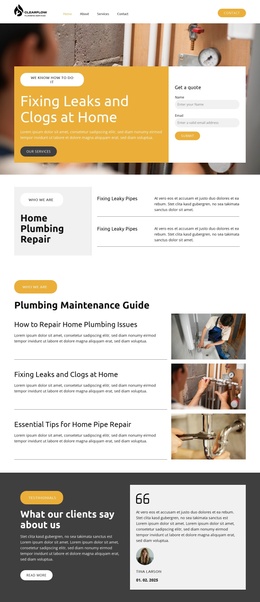
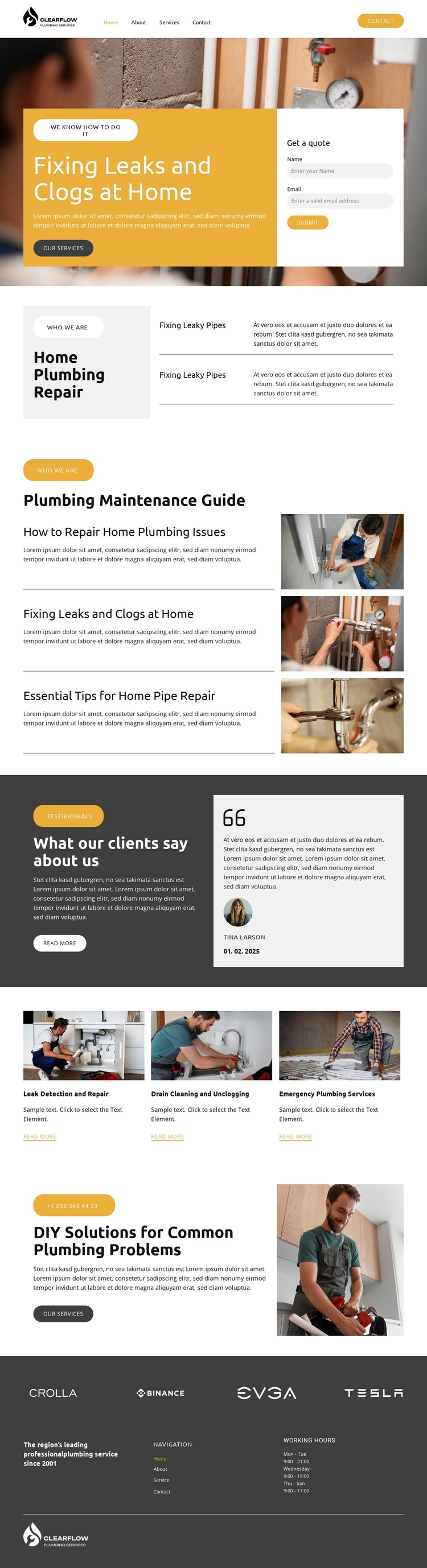
The page divides plumbing information into clear content regions that can be understood as a structured CMS-managed service presentation. The opening block combines the main repair message with a quote-request form, while the next section narrows the subject into fixing leaky pipes and drain cleaning. This separation gives the navigation and page content distinct roles: visitors can reach the main enquiry point while still moving through organized service information.
The Plumbing Maintenance Guide adds a second type of content relationship. Its three stacked article topics address home plumbing issues, leaks and clogs, and essential pipe-repair tips, each presented with supporting imagery. In a Joomla project, this article-like material can sit alongside the more permanent service areas without losing the visual direction of the page. The testimonial section then creates a separate trust region, positioned as customer-oriented context rather than another service description.
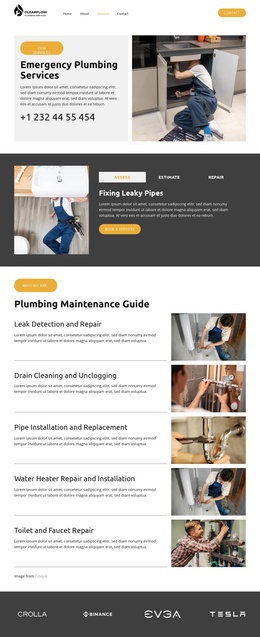
The three service cards provide a compact summary of leak detection and repair, drain cleaning and unclogging, and emergency plumbing services. That grouping gives the design a useful structured region for core offerings, while the DIY Solutions section can support additional practical information before the footer. Navigation, working-hours information, and branding in the dark footer complete the shared site frame. The result is a Joomla-oriented foundation where service, guidance, proof, and contact content remain visibly coordinated.
Customize with Nicepage
Open this ready-made template in the Joomla Page Builder and customize it visually in the Nicepage editor. Replace demo content, edit page sections, and adapt the design to your project without rebuilding the template from scratch.
Work With This Template in Joomla
Customize and Install the Joomla Template
Start with this ready-made template instead of building the Joomla design from scratch. Customize its layout, content, typography, images, sections, and other design elements visually in the Nicepage application, then export and install the Joomla Template, Nicepage Extension, and supported content on your Joomla website.
Edit the Template Directly in Joomla
After installation, you can edit the Joomla Template directly in Joomla with the Nicepage Joomla Extension. Customize the Header, Footer, Colors, Fonts, typography, and Page Templates from the Joomla workflow while keeping the site design connected with your CMS content.
Edit Joomla Articles Visually
Use the Nicepage Joomla Extension to open and edit Joomla Articles visually from the Joomla Administrator. Change text, images, sections, layouts, and other page content in the Nicepage editor while continuing to manage the Articles through Joomla.
Joomla Content and Template Integration
Use the customized template together with Joomla Articles, module Positions, menus, forms, Blog Pages, and other supported CMS elements. With the Nicepage Extension used as the Site Style Source, shared design settings can be applied across Joomla Articles while Joomla continues to provide the CMS environment for managing site content.
This workflow combines a ready-made Joomla Template with visual customization, direct template editing in Joomla, and continued content management through the Nicepage Joomla Extension.