Spring jewelry collection Joomla Template



The Portrait and Vertical Title Form a Structured Collection Content Area
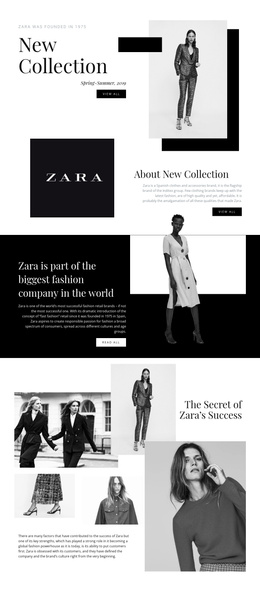
The portrait, heading, collection label, and social links create distinct information roles inside the section. The monochrome image introduces the visual subject, the word “spring” identifies the collection, and the “collection” label clarifies the message. On the right, the social icons occupy a separate upper position, while the vertically separated title establishes the main reading hierarchy beneath them. This makes the block suitable for a Joomla-managed page where a clear visual content region needs to sit alongside other editorial or product-related sections.
The split composition keeps the image and text from competing for the same space. The left portrait provides visual weight, while the light background and generous spacing around the dark lettering preserve readability on the right. Because the block is static, its meaning comes from the fixed relationship between these regions rather than from a carousel, tab, or expanding control. The three social links can remain a compact supporting group without changing the central collection introduction.
Within a Joomla-oriented project, this section can serve as a stable content area for presenting the seasonal theme while the broader site manages related pages, articles, or catalogue information around it. The visual hierarchy is already clear enough to reuse as a recognizable fashion introduction, yet the block remains limited to its own portrait, title, label, and social access. That separation allows the surrounding Joomla page structure to handle deeper content without turning this reusable section into a complete site or template.
Customize with Nicepage
Open this ready-made template in the Joomla Page Builder and customize it visually in the Nicepage editor. Replace demo content, edit page sections, and adapt the design to your project without rebuilding the template from scratch.
Edit Template Offline
2. Create a new page or select existing
3. Click Add new block, search for id 137485 and click enter
Edit Template Online
Create Awesome Websites


Free Nicepage Builder
Keywords
Work With This Template in Joomla
Customize and Install the Joomla Template
Start with this ready-made template instead of building the Joomla design from scratch. Customize its layout, content, typography, images, sections, and other design elements visually in the Nicepage application, then export and install the Joomla Template, Nicepage Extension, and supported content on your Joomla website.
Edit the Template Directly in Joomla
After installation, you can edit the Joomla Template directly in Joomla with the Nicepage Joomla Extension. Customize the Header, Footer, Colors, Fonts, typography, and Page Templates from the Joomla workflow while keeping the site design connected with your CMS content.
Edit Joomla Articles Visually
Use the Nicepage Joomla Extension to open and edit Joomla Articles visually from the Joomla Administrator. Change text, images, sections, layouts, and other page content in the Nicepage editor while continuing to manage the Articles through Joomla.
Joomla Content and Template Integration
Use the customized template together with Joomla Articles, module Positions, menus, forms, Blog Pages, and other supported CMS elements. With the Nicepage Extension used as the Site Style Source, shared design settings can be applied across Joomla Articles while Joomla continues to provide the CMS environment for managing site content.
This workflow combines a ready-made Joomla Template with visual customization, direct template editing in Joomla, and continued content management through the Nicepage Joomla Extension.